
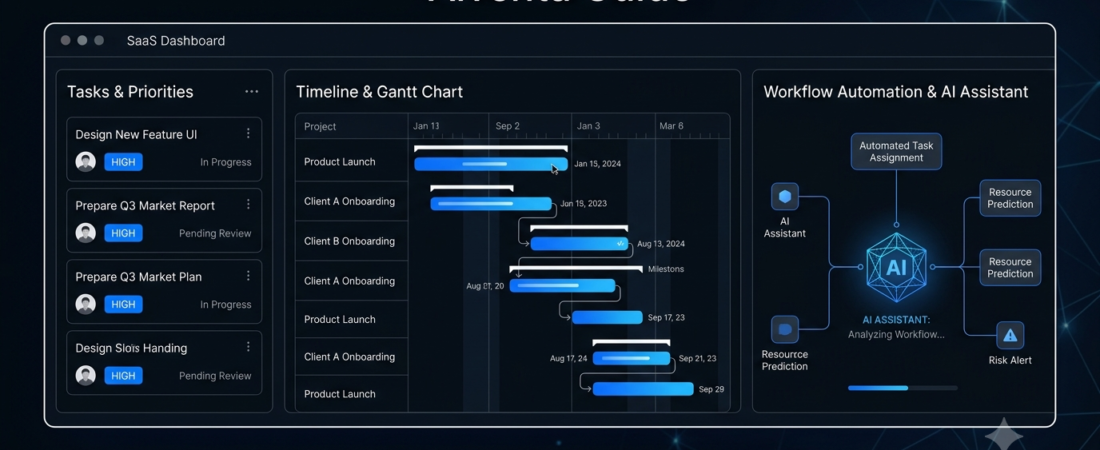
Best AI Tools for Project Management
AI tools for project management help teams organize tasks, create project plans, track progress, and reduce repetitive administrative work. Whether you manage a small business, marketing team, software project, or personal workload, the right software can make everyday tasks easier.
However, not every platform offers the same features. Some focus on team collaboration, while others provide AI-generated plans, task summaries, workflow automation, and project reporting.
In this guide, we’ll compare seven AI project management tools and explain which types of users may benefit most from each one.
What Are AI Tools for Project Management?
AI tools for project management use artificial intelligence to assist with planning, organizing, and monitoring projects.
Depending on the platform and subscription, these tools may help you:
- Create project plans from written instructions.
- Break large projects into smaller tasks.
- Summarize project discussions and updates.
- Generate reports and task descriptions.
- Automate repetitive workflows.
- Identify delays and potential project risks.
For example, a marketing manager could use an AI assistant to draft a campaign plan, organize deliverables, and summarize progress for a team meeting.
If you want to explore more ways to streamline repetitive tasks, read our guide to AI automation tools.
7 Best AI Tools for Project Management
1. ClickUp — Best for All-in-One Project Management
ClickUp combines task management, documents, project views, collaboration, and reporting in one workspace. Its AI features can assist with writing, summarizing information, and working with project-related content.
Key features:
- Task creation and assignment
- Multiple project views
- AI-assisted writing and summaries
- Workflow automation options
- Team collaboration and reporting
Best for: Teams that want to manage several types of work in one platform.
Potential drawback: The range of features can feel overwhelming to beginners. Some AI capabilities may require an additional subscription or have usage limits.
Website: https://clickup.com/
2. Asana — Best for Team Coordination
Asana helps teams coordinate projects, assign responsibilities, set deadlines, and monitor progress. Its AI features can support project planning, task descriptions, summaries, and workflow creation, depending on the plan. https://help.asana.com/s/article/get-started-with-asana-ai
Key features:
- Project and task tracking
- Clear task ownership and deadlines
- AI-assisted summaries
- Workflow automation
- Progress and status reporting
Best for: Marketing teams, operations teams, and businesses managing projects across departments.
Potential drawback: Advanced features and some AI capabilities may require paid plans.
Website: https://asana.com/
3. monday.com — Best for Visual Project Planning
monday.com offers visual boards for managing tasks, deadlines, team responsibilities, and project progress. Its AI features can help generate project plans, summarize board information, and support workflow automation. https://monday.com/w/use-cases/ai-project-management-software
Key features:
- Customizable project boards
- Visual progress tracking
- AI-assisted project planning
- Automated notifications and workflows
- Team workload management options
Best for: Teams that prefer visual dashboards and customizable workflows.
Potential drawback: Costs can increase as your team grows or requires more advanced features.
Website: https://monday.com/
4. Notion — Best for Projects and Documentation
Notion combines documents, databases, wikis, and project tracking. It can be useful when a team needs project plans, meeting notes, research, and task information in one place.
Key features:
- Project databases and task boards
- Shared documents and knowledge bases
- AI-assisted writing and summaries
- Project notes and documentation
- Customizable workspaces
Best for: Small teams, students working on group projects, content teams, and people who prefer a flexible workspace.
Potential drawback: Building an organized workspace takes time, and advanced AI access depends on the current plan.
Website: https://www.notion.com/
5. Jira — Best for Software Development Teams
Jira is designed for tracking software development work, managing issues, and coordinating agile projects. Its Atlassian AI features can assist with development workflows, searching information, and handling project-related tasks, depending on the setup.
Key features:
- Sprint and backlog management
- Issue and bug tracking
- Agile project workflows
- Development team collaboration
- AI-assisted workflows and information retrieval
Best for: Software developers, engineering teams, and technical project managers.
Potential drawback: It may be unnecessarily complex for simple personal projects or small nontechnical teams.
Website: https://www.atlassian.com/software/jira
6. Trello — Best for Simple Task Tracking
Trello uses visual boards, lists, and cards to organize work. Its straightforward interface makes it a useful starting point for people who want to manage projects without learning a complicated system.
Key features:
- Kanban-style task boards
- Due dates and checklists
- Team collaboration
- Automation through available integrations and built-in features
- AI assistance through supported integrations or plan-dependent features
Best for: Freelancers, students, personal projects, and small teams with simple workflows.
Potential drawback: Complex projects with many dependencies and reporting requirements may need a more advanced platform.
Website: https://trello.com/
7. Motion — Best for AI-Assisted Scheduling
Motion focuses on scheduling tasks and organizing work around available time. It can be useful for people who struggle to balance deadlines, meetings, and daily priorities.
Key features:
- Task and calendar scheduling
- Deadline-aware planning
- Automatic schedule adjustments
- Daily work prioritization
- Calendar and task organization
Best for: Busy professionals, freelancers, and individuals managing several deadlines.
Potential drawback: Its scheduling-focused approach may not replace a full project management system for large teams. Check the current subscription and included features before choosing it.
Website: https://www.usemotion.com/
AI Project Management Tools Compared
| Tool | Best use | Main advantage |
|---|---|---|
| ClickUp | All-in-one project management | Broad range of work tools |
| Asana | Team coordination | Clear task ownership |
| monday.com | Visual workflows | Customizable boards |
| Notion | Documents and projects | Flexible workspace |
| Jira | Software development | Agile issue tracking |
| Trello | Simple task tracking | Easy-to-understand boards |
| Motion | Personal scheduling | Time-based task planning |
Note: AI availability, usage limits, integrations, and pricing can change. Check each provider’s official website before purchasing.
How to Choose the Right AI Project Management Software
Before selecting a platform, identify your team’s biggest problem. Buying software with dozens of features won’t help if your team only needs a simple task list.
1. Identify Your Main Requirement
Choose a tool based on the work you need to manage. For example, developers may prefer Jira, while teams that need flexible documentation may prefer Notion.
2. Check the AI Features
Look beyond the word “AI” in a product description. Determine whether the platform can actually help with your tasks, such as generating plans, summarizing updates, or automating repetitive steps.
3. Compare the Total Cost
Some tools offer free plans, while advanced AI features may cost extra. Check user limits, AI credits, storage, integrations, and billing terms before committing.
4. Test the Workflow
Try a small project before moving all your work into a new platform. Check whether teammates can understand the interface and whether the tool saves time in practice.
5. Review Privacy and Access Controls
Project data may contain customer information, internal documents, or business plans. Review the provider’s data policies and permissions before uploading confidential material.
You can also explore our guide to AI productivity tools for more ways to organize daily work.
Benefits of Using AI for Project Management
AI-assisted project management can provide several practical benefits when used appropriately.
- Less repetitive work: Automate routine updates and administrative tasks.
- Better organization: Keep responsibilities, deadlines, and project documents together.
- Faster reporting: Summarize project activity instead of manually compiling every update.
- Improved planning: Use AI-generated suggestions as a starting point for task lists and schedules.
- More visibility: Help teams understand progress and identify tasks that need attention.
However, AI-generated plans and reports can contain mistakes. Team members should review important deadlines, assignments, and project decisions rather than relying on automated suggestions without checking them.
Frequently Asked Questions
What is the best AI tool for project management?
The best option depends on your needs. ClickUp is worth considering for an all-in-one workspace, Asana for coordinating teams, Jira for software development, and Motion for schedule-focused task management.
Are there free AI project management tools?
Some platforms offer free plans or trials. However, free access may not include every AI feature, and usage limits can apply. Review the current plan details before choosing a tool.
Can AI manage a project automatically?
AI can assist with task creation, summaries, scheduling, and selected workflows. Nevertheless, people still need to set goals, review outputs, make important decisions, and handle unexpected problems.
Are AI project management tools useful for small businesses?
Yes. Small businesses can use them to coordinate marketing campaigns, organize customer requests, track deadlines, and manage team responsibilities. Start with the features you genuinely need.
Do I need technical skills to use AI project management software?
Usually, no. Many tools offer visual boards and guided workflows. More advanced automation or software development integrations may require additional technical knowledge.
Conclusion
The best AI tools for project management are the ones that solve your actual workflow problems without adding unnecessary complexity.
ClickUp is a strong option for teams looking for a broad workspace, Asana supports team coordination, monday.com offers visual workflows, and Notion combines projects with documentation. Meanwhile, Jira suits software development, Trello works well for simpler boards, and Motion focuses on scheduling.
Start with a small project, test the available AI features, and compare the total cost before moving your entire workflow.
Want to improve your workflow further? Explore AI tools for small businesses and AI agents for business on Aiventa Guide.