
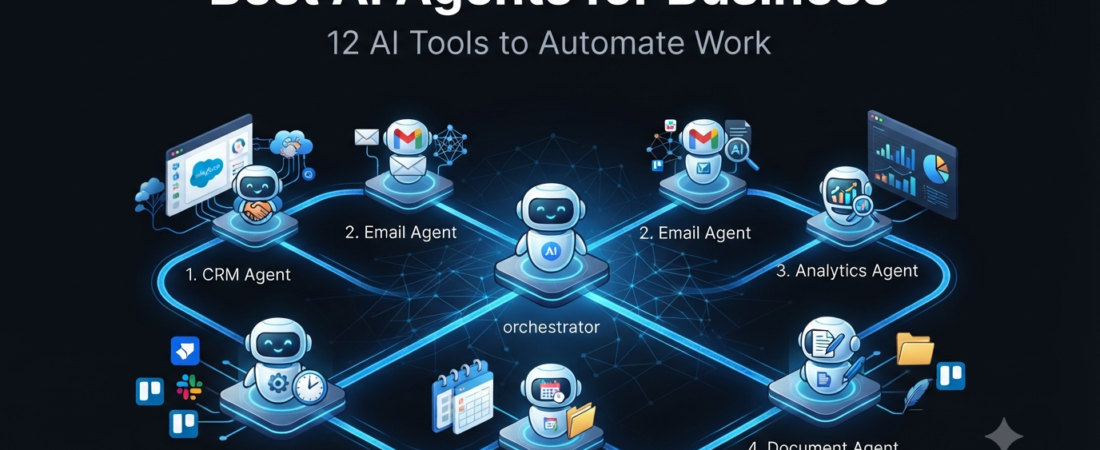
What Are AI Agents for Business?
AI agents for business are software systems that can understand instructions, make decisions, use connected tools, and complete tasks with less manual intervention.
Traditional automation usually follows fixed instructions. For example, a workflow might receive a form submission and automatically send an email. AI agents can go further by interpreting information, deciding what action makes sense, and completing multiple steps.
As a result, businesses can use AI agents for tasks such as customer support, research, sales follow-ups, content creation, data processing, scheduling, and internal operations.
Moreover, modern workflow platforms increasingly combine traditional automation with AI capabilities. This makes it possible to build workflows where AI handles the reasoning while automation tools handle the actual actions.
If you are new to automation, first read our guide to AI automation tools. It explains how workflow automation platforms connect apps and automate repetitive processes.
Why Businesses Are Using AI Agents
AI agents can help businesses reduce repetitive work without requiring every task to be handled manually.
For example, an AI agent could:
- Read incoming customer messages
- Classify support requests
- Summarize documents
- Research information
- Draft email replies
- Qualify leads
- Organize data
- Create reports
- Schedule meetings
- Move information between applications
Furthermore, AI agents can work alongside normal automation. Therefore, businesses do not necessarily need to replace their existing software.
For smaller companies, this can be particularly useful because a small team can automate processes that would otherwise require several hours of manual work.
12 Best AI Agents for Business
The best option depends on your business size, technical skills, budget, and the type of work you want to automate.
| AI Tool | Best For | Main Advantage |
|---|---|---|
| Zapier | Business automation | Large app ecosystem |
| Make | Complex workflows | Visual automation |
| n8n | Technical teams | Flexible workflows |
| Microsoft Copilot | Microsoft users | Microsoft ecosystem |
| Salesforce Agentforce | Sales teams | CRM automation |
| Gumloop | AI workflows | AI-powered processes |
| Lindy | AI assistants | Business assistants |
| UiPath | Enterprise automation | RPA + AI |
| Power Automate | Microsoft businesses | Business process automation |
| Pipedream | Developers | API-based automation |
| Workato | Large companies | Enterprise integration |
| Bardeen | Browser-based tasks | Web automation |
1. Zapier
Zapier is one of the easiest options for businesses that want no-code automation.
It connects different applications and allows users to create workflows without writing traditional code. Businesses can use it for lead management, email automation, notifications, data entry, and many other repetitive tasks.
Additionally, Zapier has expanded beyond basic trigger-and-action workflows with AI-related features and agents.
Best for: Small businesses and non-technical teams.
2. Make
Make is a visual automation platform designed for workflows that require more complex logic.
Instead of creating a simple linear automation, users can visually connect multiple steps, filters, branches, and applications.
Therefore, Make can be useful when a business needs more control over how information moves through a workflow.
Best for: Operations teams and users who want visual workflow control.
3. n8n
n8n is a flexible workflow automation platform that is particularly attractive to technical users.
It allows users to build advanced workflows, connect APIs, add code, and integrate AI models into automated processes.
Moreover, n8n can be self-hosted, giving technical teams more control over their infrastructure and data.
Best for: Developers and technical businesses.
4. Microsoft Copilot
Microsoft Copilot can be useful for businesses already working heavily with Microsoft products.
It can assist with tasks involving documents, emails, meetings, spreadsheets, presentations, and other business activities, depending on the Microsoft environment and license.
Best for: Businesses using Microsoft 365.
5. Salesforce Agentforce
Salesforce Agentforce is designed for businesses that use Salesforce and want AI-powered assistance within customer and sales workflows.
AI agents can help with customer interactions, sales processes, service tasks, and CRM-related operations.
Best for: Salesforce-based sales and customer service teams.
6. Gumloop
Gumloop focuses on AI-powered workflows that can process information and automate knowledge-heavy tasks.
For example, teams can use AI workflows for research, data processing, document handling, and repetitive operational processes.
Best for: Marketing, operations, and research workflows.
7. Lindy
Lindy focuses heavily on AI assistants that can help with business tasks.
It can be useful for workflows involving email, scheduling, follow-ups, research, and administrative work.
As a result, it can feel more like working with an AI assistant rather than simply building traditional automation.
Best for: Entrepreneurs, sales teams, and administrative workflows.
8. UiPath
UiPath is a major enterprise automation platform that combines robotic process automation with newer AI capabilities.
It is designed for organizations that need to automate complex business processes, including workflows involving existing enterprise software.
Best for: Large organizations and enterprise automation.
9. Microsoft Power Automate
Power Automate helps businesses automate processes across Microsoft products and other connected services.
It can handle business workflows, approvals, notifications, data movement, and desktop automation.
Therefore, it can be especially useful for organizations already invested in the Microsoft ecosystem.
Best for: Microsoft-focused businesses.
10. Pipedream
Pipedream is aimed more toward developers and technical teams.
It allows users to connect APIs, services, and custom code to create automated workflows.
Consequently, it can be a strong choice when a business needs automation beyond what standard no-code tools provide.
Best for: Developers and API-heavy workflows.
11. Workato
Workato is an enterprise-focused automation and integration platform.
It is designed to connect applications, data, and business processes across larger organizations.
For companies with complicated systems and governance requirements, an enterprise platform can provide more control than basic automation software.
Best for: Large businesses and enterprise integration.
12. Bardeen
Bardeen focuses on automating repetitive tasks involving web applications and browser-based workflows.
It can be useful for tasks such as collecting information, moving data between services, and automating repetitive browser activities.
Best for: Browser-based business tasks.
AI Agents vs Traditional Automation
The biggest difference is how the system handles decisions.
Traditional automation generally follows predetermined rules:
Trigger → Rule → Action
An AI-powered workflow can instead look more like:
Trigger → Understand information → Decide → Take action → Continue workflow
For example, imagine a business receives 100 customer emails.
A traditional workflow may send every email to the same department.
An AI-enabled workflow could identify whether each message is about billing, technical support, sales, or another issue. It could then route the message to the appropriate workflow.
This is why AI agents can be particularly useful for processes involving unstructured information.
How to Choose the Right AI Agent
Before choosing an AI business agent, consider these factors.
1. Identify the task
Start with one repetitive business process rather than trying to automate everything.
For example, you might automate lead qualification before attempting to automate an entire sales operation.
2. Check integrations
Make sure the platform supports the applications your business already uses.
An excellent AI tool is not useful if it cannot connect to your CRM, email system, forms, database, or other essential software.
3. Consider technical complexity
No-code platforms such as Zapier can be easier for beginners, while tools such as n8n and Pipedream provide greater flexibility for technical users.
4. Calculate the real cost
Do not only look at the starting subscription price.
Also consider task limits, operations, AI usage, execution volume, and additional features. Pricing models vary significantly between automation platforms.
5. Start small
Finally, build one useful automation and measure the result.
If it saves time and works reliably, expand the workflow gradually.
AI Agents for Small Business
Small businesses do not necessarily need complicated enterprise systems.
A simple combination of an AI assistant and an automation platform can already handle many repetitive activities.
For example, a small business could automate:
- Website lead notifications
- Customer email categorization
- Appointment reminders
- Basic FAQ responses
- Lead follow-ups
- Content research
- Report generation
- Spreadsheet updates
You can also explore our guide to AI tools for small business for more business-focused software recommendations.
Meanwhile, if productivity is your main goal, check our guide to AI productivity tools for additional options.
Are AI Agents Worth It?
AI agents can be valuable when they solve a specific, repetitive problem.
However, they are not automatically the best solution for every business task.
A simple rule-based automation may be cheaper and more reliable when the process never changes. On the other hand, AI becomes more useful when the workflow needs to interpret text, classify information, summarize documents, or make decisions based on context.
Therefore, the smartest approach is usually to combine both technologies instead of replacing traditional automation completely.
Frequently Asked Questions
What are AI agents for business?
AI agents for business are software systems that can understand information, make decisions, use connected tools, and complete business tasks with limited manual intervention.
What is the best AI agent for a small business?
There is no single best option. Zapier, Make, Lindy, and similar platforms can be useful depending on the type of task, technical skill level, and required integrations.
Can AI agents automate business tasks?
Yes. AI agents can assist with tasks such as customer support, research, lead qualification, scheduling, document processing, and workflow management.
Are AI agents the same as automation tools?
Not exactly. Traditional automation generally follows predefined rules, while AI agents can interpret information and make decisions within a workflow.
Do I need coding skills to use AI agents?
Not always. Many modern platforms provide visual or no-code builders. However, developer-focused platforms can provide additional flexibility when coding or API knowledge is available.
Conclusion
AI agents for business are becoming an important part of modern automation. Instead of simply following fixed instructions, AI-powered systems can interpret information and perform more flexible tasks.
For beginners, tools such as Zapier and Make can provide an accessible starting point. Meanwhile, technical teams may prefer n8n or Pipedream, while larger organizations may need platforms such as UiPath or Workato.
Most importantly, choose a tool based on the problem you want to solve rather than simply choosing the platform with the longest feature list.
Start with one repetitive process, measure the time saved, and then expand your automation strategy.
Related Aiventa Guide Articles
- AI Automation Tools
- AI Tools for Small Business
- AI Productivity Tools
- AI Presentation Tools
- How to Choose AI Tools
Affiliate Disclosure: Some links to AI tools may become affiliate links in the future. If you purchase through an eligible affiliate link, Aiventa Guide may earn a commission at no additional cost to you. Recommendations remain based on usefulness and relevance.