
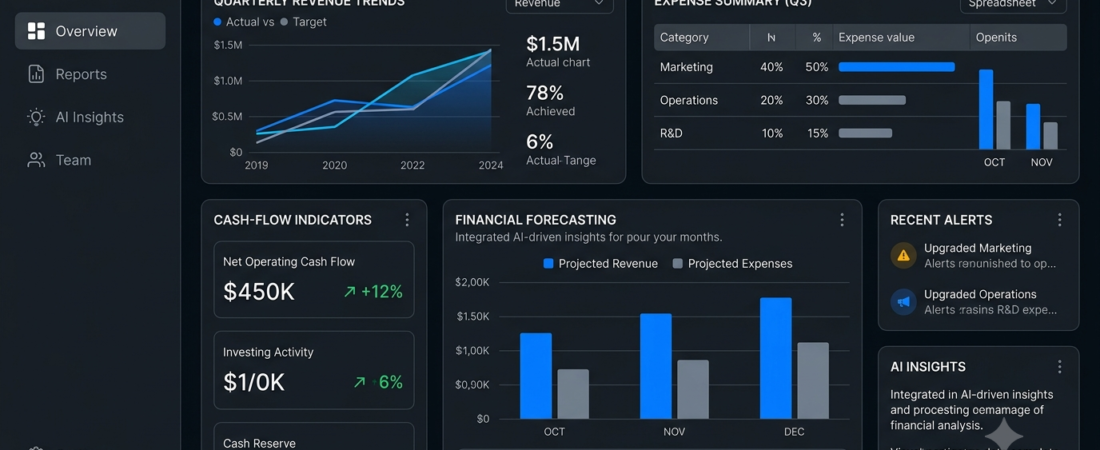
Best AI Tools for Financial Analysis
AI tools for financial analysis help businesses organize financial information, identify trends, prepare reports, and understand performance. Instead of manually reviewing every spreadsheet, users can apply AI-assisted features to summarize data and investigate important changes.
For example, a small business owner might analyze monthly expenses, compare revenue across quarters, or investigate changes in profit margins. Finance teams can also use analytical software to organize reports and explore financial scenarios.
However, different platforms serve different purposes. Some focus on spreadsheets and reporting, while others specialize in financial planning, accounting, or investment research.
In this guide, we’ll compare seven AI tools for financial analysis, explain their main uses, and help you choose an option that fits your workflow.
What Are AI Tools for Financial Analysis?
AI financial analysis tools use artificial intelligence, automation, data processing, or predictive models to support the interpretation of financial information.
Depending on the platform, they may help users:
- Summarize financial spreadsheets.
- Review revenue and expense trends.
- Prepare financial reports.
- Explore budgets and forecasts.
- Identify unusual transactions or data patterns.
- Compare financial performance across periods.
- Organize information for business planning.
These tools can support analysis, but they cannot guarantee accurate forecasts or profitable financial decisions. Always verify calculations, assumptions, and source data.
7 Best AI Tools for Financial Analysis
1. Microsoft Excel with Copilot — Best for Spreadsheet Analysis
Microsoft Excel is widely used for budgets, financial models, and business reporting. Where available and enabled, Copilot can help users work with spreadsheet data, explore trends, and create or explain formulas.
Key features:
- Spreadsheet calculations and formulas
- Financial tables and charts
- Data organization and analysis
- AI-assisted formula and data exploration
- Integration with Microsoft workflows
Best for: Business owners, analysts, and finance teams that already manage financial data in Excel.
Potential drawback: AI capabilities depend on the eligible subscription, configuration, and data structure. Verify formulas and calculations before using results in important reports.
2. Google Sheets with Gemini — Best for Collaborative Financial Work
Google Sheets supports budgeting, expense tracking, financial reporting, and collaborative spreadsheet work. Where available, Gemini features can assist with selected spreadsheet tasks.
Key features:
- Shared financial spreadsheets
- Budget and expense templates
- Charts and data summaries
- AI-assisted spreadsheet tasks where available
- Integration with Google Workspace
Best for: Small businesses and teams that collaborate using Google Workspace.
Potential drawback: Feature availability varies by plan and account. Complex financial models may still require manual formulas and specialist review.
3. QuickBooks — Best for Small Business Finances
QuickBooks offers accounting and financial management software for businesses. Depending on the product and subscription, it can help organize transactions, monitor business performance, and simplify bookkeeping workflows.
Key features:
- Income and expense tracking
- Financial reports
- Invoicing and accounting workflows
- Cash-flow visibility
- AI-assisted capabilities where available
Best for: Small businesses that want to organize accounting information and review their financial position.
Potential drawback: Features vary by country, product, and subscription. Confirm that the platform supports your local tax and accounting requirements.
4. Xero — Best for Cloud-Based Accounting
Xero provides cloud accounting tools that help businesses manage transactions, invoices, expenses, and financial reporting. Its connected workflow can make it easier to review business finances.
Key features:
- Accounting and bookkeeping
- Expense and invoice management
- Financial statements
- Bank transaction workflows
- Supported integrations and automation
Best for: Small businesses and accounting professionals looking for cloud-based financial management.
Potential drawback: Availability of features and integrations varies by region and plan. AI features may differ from those of dedicated financial analysis platforms.
5. Datarails — Best for Financial Planning and Reporting
Datarails focuses on financial planning and analysis (FP&A), particularly for finance teams that rely on spreadsheets and need more structured reporting workflows.
Key features:
- Financial data consolidation
- Budget and forecast workflows
- Reporting automation
- Financial performance analysis
- Integration with spreadsheet-based processes
Best for: Finance teams that need to consolidate data and prepare recurring business reports.
Potential drawback: It may be more than a small business needs if the main requirement is basic expense tracking.
6. Cube — Best for Budgeting and Forecasting Workflows
Cube is a financial planning and analysis platform designed to help finance teams manage budgets, forecasts, and reporting workflows.
Key features:
- Budget planning
- Forecast management
- Financial reporting
- Spreadsheet-connected workflows
- Data consolidation
Best for: Finance teams that need a more structured process for planning and analyzing business performance.
Potential drawback: Suitability depends on the complexity of your planning process, integrations, and budget. Review the current product capabilities before choosing it specifically for AI functionality.
7. AlphaSense — Best for Financial and Market Research
AlphaSense is a market intelligence and research platform used to search and analyze business information, including financial documents and company materials.
It can help analysts investigate company performance, industry developments, and information disclosed in relevant documents.
Key features:
- Search across supported research sources
- Financial document discovery
- Company and industry research
- AI-assisted document analysis
- Research organization workflows
Best for: Financial analysts, investment research teams, and professionals conducting company or industry research.
Potential drawback: Access and pricing may be designed for professional users. Research summaries should be checked against the original documents.
AI Financial Analysis Tools Compared
| Tool | Best use | Main strength |
|---|---|---|
| Microsoft Excel with Copilot | Spreadsheet analysis | Flexible financial calculations |
| Google Sheets with Gemini | Collaborative spreadsheets | Shared financial workflows |
| QuickBooks | Small business accounting | Transaction and report management |
| Xero | Cloud accounting | Connected bookkeeping workflows |
| Datarails | FP&A reporting | Financial data consolidation |
| Cube | Budgeting and forecasting | Structured planning workflows |
| AlphaSense | Financial research | Searching business and financial documents |
These platforms are not direct replacements for one another. Some are accounting tools, others support planning and reporting, and AlphaSense is more focused on research. Compare them according to the task you need to complete.
How to Use AI Tools for Financial Analysis
1. Define Your Financial Goal
Start with a clear question. For example:
- Why did expenses increase this month?
- Which products have the highest profit margins?
- How does actual revenue compare with the budget?
- How much cash might the business need next quarter?
A specific question helps you select the right data and avoid unnecessary analysis.
2. Organize Your Financial Data
Collect the relevant spreadsheets, accounting records, or reports. Standardize dates, currency formats, category names, and reporting periods.
Check for missing entries, duplicate transactions, and inconsistent totals before asking an AI tool to analyze the information.
3. Review Trends and Differences
Compare actual results with earlier periods or planned targets. AI-assisted summaries can help highlight possible patterns, but verify the underlying calculations before drawing conclusions.
4. Build Financial Reports
Use charts and summaries to communicate revenue, expenses, cash flow, and other important metrics. Keep reports focused on decisions rather than including every available number.
For related reporting ideas, explore our guide to AI data visualization tools.
5. Create Scenarios
Financial planning often involves comparing possible outcomes. For example, you could model how a change in operating costs or sales volume might affect a budget.
Treat forecasts as estimates based on assumptions, not promises about future results.
6. Review Results Before Acting
Verify important calculations and discuss complex accounting or tax questions with a qualified professional. AI can assist with analysis, but it does not replace appropriate financial oversight.
How to Choose the Best AI Financial Analysis Software
Match the Tool to Your Needs
- Spreadsheet analysis: Consider Excel or Google Sheets.
- Accounting and expenses: Compare QuickBooks and Xero.
- Financial planning and reporting: Evaluate Datarails or Cube.
- Company and industry research: Consider AlphaSense.
Check Data Privacy
Financial information may include confidential business records. Review the platform’s privacy settings, access controls, data retention practices, and rules for using your information with AI features.
Avoid uploading sensitive financial documents to tools that have not been approved for your intended use.
Compare Costs and Integrations
Check subscription prices, user limits, data connections, and additional fees. A platform should work with your existing accounting or reporting workflow without adding unnecessary complexity.
Verify Accuracy
Always check important calculations against source records. For forecasting, review the assumptions behind the model and compare estimates with actual results over time.
Benefits of AI Tools for Financial Analysis
Faster Reporting
Automation and AI-assisted summaries can reduce repetitive work when preparing recurring reports.
Easier Trend Identification
Analytical features can help users investigate changes in revenue, costs, and other financial measures.
Better Budget Visibility
Budgeting and planning tools help teams compare planned and actual performance.
More Organized Financial Information
Accounting and reporting platforms can bring information into a more consistent workflow.
Support for Better-Informed Decisions
Reliable analysis can help businesses ask better questions about spending, revenue, and future planning.
The quality of these benefits depends on accurate data, suitable tools, and human review. AI-generated financial insights should not be treated as guaranteed outcomes.
Frequently Asked Questions
What are the best AI tools for financial analysis?
Excel with Copilot, Google Sheets with Gemini, QuickBooks, Xero, Datarails, Cube, and AlphaSense are options worth comparing. Each supports different financial tasks, so the best choice depends on your requirements.
Can AI analyze financial spreadsheets?
Yes. Depending on the tool and enabled features, AI can help summarize data, explain formulas, explore trends, and assist with reports. Always verify the calculations and assumptions.
Can AI predict future business revenue?
Some tools support forecasting based on historical data and assumptions. Forecasts remain estimates and may be affected by seasonality, market changes, incomplete data, and unexpected events.
Are AI financial analysis tools suitable for small businesses?
Yes. Small businesses can use spreadsheet, accounting, and reporting tools to organize transactions, monitor expenses, and review performance. Choose a tool that matches your actual workflow and budget.
Should I rely entirely on AI for financial decisions?
No. Use AI as an analytical aid, verify the underlying information, and seek qualified professional advice for significant accounting, tax, investment, or legal decisions.
Conclusion
AI tools for financial analysis can help businesses organize financial data, prepare reports, explore trends, and support planning.
Excel and Google Sheets are useful for spreadsheet workflows, QuickBooks and Xero focus on accounting, Datarails and Cube support financial planning, and AlphaSense helps with company and market research.
Before choosing a platform, identify your main financial task, check data compatibility, review privacy requirements, and verify the accuracy of its output. The best tool is one that solves a real problem without adding unnecessary complexity.
Explore more on Aiventa Guide: Read our guides to AI data visualization tools, AI data cleaning tools, and AI tools for small businesses.
Useful Financial Analysis Resources
- Microsoft Excel — Explore spreadsheet features for organizing and analyzing data.
- QuickBooks — Explore accounting and financial management features for businesses.