
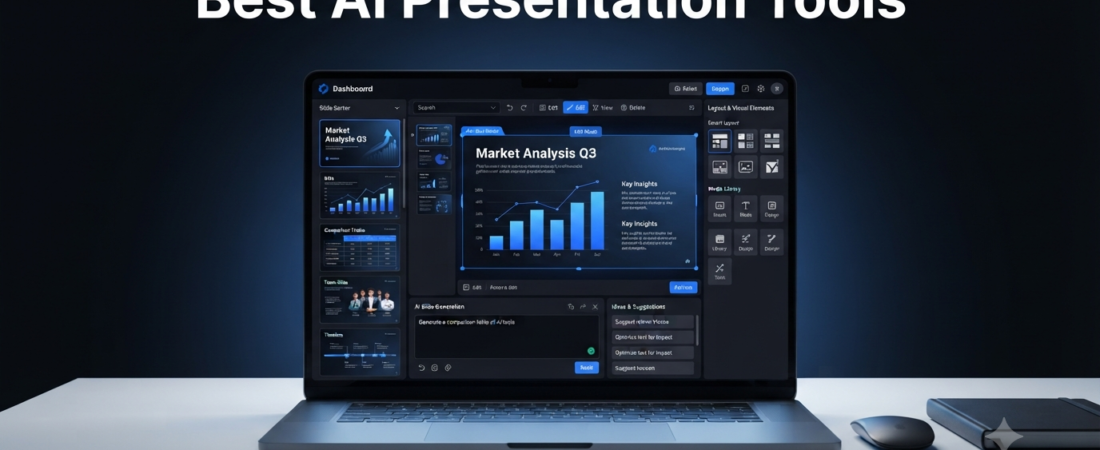
Creating a professional presentation can take hours when you have to plan the structure, write the content, design every slide, and find suitable visuals. Fortunately, AI presentation tools can simplify much of this process.
Instead of starting with a completely blank presentation, an AI presentation maker can help generate an initial structure from a topic or prompt. Some tools can also suggest layouts, rewrite text, create visuals, and help organize information.
However, AI-generated presentations still need human review. Therefore, the best approach is to use AI for the first draft and then improve the content, facts, design, and presentation style yourself.
In this guide, we’ll compare 12 useful AI presentation tools and explain which type of user each one is best suited for.
What Are AI Presentation Tools?
AI presentation tools are software applications that use artificial intelligence to help create slides and presentations.
Depending on the platform, an AI slide generator can help you:
- Create a presentation outline
- Generate slide content
- Suggest layouts
- Rewrite text
- Create visuals
- Summarize information
- Turn documents into presentations
- Improve existing slides
- Create speaker notes
For example, instead of spending 30 minutes deciding what should appear on each slide, you can provide your topic and let an AI presentation maker create a starting structure.
As a result, you can spend more time improving the actual message instead of doing repetitive formatting work.
12 Best AI Presentation Tools
| Tool | Best For | Main Feature |
|---|---|---|
| Gamma | Fast presentations | AI-generated decks |
| Canva | Design and presentations | AI design tools |
| Beautiful.ai | Professional layouts | Automated design |
| Plus AI | PowerPoint & Google Slides | AI slide creation |
| Microsoft Copilot | Microsoft users | PowerPoint assistance |
| Google Slides + Gemini | Google users | AI-assisted slides |
| Pitch | Team presentations | Collaboration |
| Presentations.ai | AI slide generation | Automated decks |
| SlidesAI | Google Slides | Text-to-slides |
| Prezi | Dynamic presentations | Interactive format |
| Tome | Storytelling | AI-generated presentations |
| Adobe Express | Visual presentations | AI-powered design |
1. Gamma — Best Overall AI Presentation Maker
Gamma is designed to help users create presentations and other visual documents with AI.
You can start with a topic, idea, or outline. Then, Gamma can generate a presentation structure that you can edit and customize.
This makes it useful when you need to create a presentation quickly but don’t want to design every slide from scratch.
Moreover, the platform focuses on making presentations look more modern than traditional text-heavy slides.
Best for: Fast, modern AI-generated presentations.
Official website: Gamma
2. Canva — Best for Design
Canva is already popular for creating presentations, social media graphics, posters, and other visual content.
Its AI-powered features can make the process faster by helping with content, design, images, and layouts.
For users who want more control over the visual appearance of a presentation, Canva can be a strong choice.
Additionally, Canva is useful beyond presentations, making it practical for students, creators, marketers, and businesses.
If you create visual content regularly, you can also explore our guide to AI Tools for Content Creators.
Best for: Presentations with strong visual design.
Official website: Canva
3. Beautiful.ai — Best for Automatic Design
Beautiful.ai focuses on presentation design and automated layouts.
Instead of manually adjusting every element on a slide, the platform can help maintain consistent layouts as you edit your content.
Consequently, it can be useful for people who want professional-looking presentations without spending too much time on formatting.
Best for: Clean business presentations and automatic layouts.
Official website: Beautiful.ai
4. Plus AI — Best for PowerPoint and Google Slides
Plus AI focuses on creating and editing presentations within familiar presentation workflows.
It can help generate slides from prompts and work with presentation formats that users already know.
Therefore, it can be useful if you don’t want to completely change your existing presentation workflow.
Best for: AI-assisted PowerPoint and Google Slides workflows.
Official website: Plus AI
5. Microsoft Copilot — Best for PowerPoint Users
Microsoft Copilot can assist users working inside Microsoft’s productivity ecosystem.
For PowerPoint users, AI assistance can help with presentation creation and editing, depending on the available Microsoft 365 plan and features.
This makes it particularly useful for professionals and organizations that already rely on Microsoft tools.
Best for: Microsoft PowerPoint users.
Official website: Microsoft Copilot
6. Google Slides + Gemini — Best for Google Workspace
Google Slides is widely used for presentations, while Google’s AI capabilities can assist with content and creative workflows where available.
If your team already works inside Google Workspace, staying within that ecosystem can make collaboration easier.
As a result, Google Slides can be a practical option for students, teachers, teams, and businesses already using Google products.
Best for: Google Workspace users.
Official website: Google Slides
7. Pitch — Best for Team Presentations
Pitch combines presentation creation with collaboration features.
Teams can work on presentations together while maintaining a shared workspace.
Furthermore, its presentation-focused workflow can be useful for companies creating sales decks, project presentations, and internal documents.
Best for: Collaborative presentations.
Official website: Pitch
8. Presentations.ai — Best for Automated Slide Creation
Presentations.ai focuses on turning ideas and text into presentation structures.
Instead of manually creating every slide, users can start with a prompt or content and use AI to build an initial deck.
However, you should still review the generated information and adjust the structure for your audience.
Best for: Quickly generating presentation drafts.
Official website: Presentations.ai
9. SlidesAI — Best for Google Slides
SlidesAI is designed to help users generate presentations from text within a familiar slide-based workflow.
For example, you can start with written content and use AI to transform it into a presentation structure.
Therefore, it can be helpful when you already have notes or written material but don’t want to manually convert everything into slides.
Best for: Turning text into Google Slides presentations.
Official website: SlidesAI
10. Prezi — Best for Interactive Presentations
Prezi takes a different approach from traditional slide-by-slide presentations.
Its zoomable canvas can help create presentations that feel more dynamic and visual.
Consequently, it can work well when the presentation benefits from showing relationships between different ideas rather than simply moving from one slide to the next.
Best for: Dynamic and interactive presentations.
Official website: Prezi
11. Tome — Best for Storytelling
Tome focuses on creating visually structured presentations and storytelling experiences.
It can help users turn an idea into an organized presentation format instead of beginning with a blank canvas.
Additionally, it can be useful when the presentation needs to communicate a story rather than simply display information.
Best for: Story-driven presentations.
Official website: Tome
12. Adobe Express — Best for Visual Content
Adobe Express provides tools for creating presentations, graphics, and other visual content.
Its AI-powered features can help users generate or modify creative elements.
As a result, it can be useful for people who want presentation creation and broader visual-content capabilities in one platform.
Best for: Visual presentations and creative content.
Official website: Adobe Express
How to Choose the Best AI Presentation Tool
The best AI presentation software depends on what you actually need.
For example, a student may prioritize speed and simplicity, while a business may care more about branding and collaboration.
| Need | Recommended Tool Type |
|---|---|
| Generate a presentation quickly | Gamma |
| Create beautiful designs | Canva |
| Automatic slide layouts | Beautiful.ai |
| PowerPoint workflow | Microsoft Copilot |
| Google Slides workflow | SlidesAI / Google Slides |
| Team collaboration | Pitch |
| Interactive presentations | Prezi |
| Storytelling | Tome |
| Visual content | Adobe Express |
Therefore, don’t choose a tool only because it has the most AI features.
Instead, consider your presentation format, audience, editing requirements, collaboration needs, and budget.
AI Presentation Tools for Students
Students can use an AI PPT maker to create the first draft of a class presentation, project, seminar, or assignment.
For example, you can provide your topic and ask the tool to create:
- A title slide
- Introduction
- Main points
- Examples
- Summary
- Conclusion
However, don’t submit AI-generated slides without reviewing them.
You should verify facts, understand the subject, and make sure the presentation follows your teacher’s or institution’s requirements.
For more useful student-focused tools, check out our guide to AI Tools for Students.
AI Presentation Tools for Business
Businesses can use AI presentation software for many different tasks.
For example, teams can create:
- Sales presentations
- Pitch decks
- Marketing presentations
- Training material
- Project updates
- Business reports
- Internal presentations
Moreover, AI can help create a first draft quickly, while employees can then customize the content to match company branding and goals.
If you’re building an AI-powered business workflow, our guide to AI Tools for Small Business may also be useful.
How to Create a Better Presentation With AI
Using an AI slide generator is only the first step.
1. Start With a Clear Goal
Before opening an AI tool, decide what the audience should understand after the presentation.
2. Give the AI Useful Context
Instead of writing a vague prompt, mention the audience, topic, presentation length, tone, and desired structure.
3. Review Every Slide
AI can generate incorrect facts, unnecessary information, or weak arguments.
Therefore, check the content before presenting it.
4. Simplify the Slides
Don’t put an entire paragraph on every slide.
Instead, use short points and explain the details verbally.
5. Customize the Design
Finally, adjust colors, fonts, images, branding, and layouts so the presentation feels like your own work.
If you also create images for your presentations, our guide to Best AI Image Generators can help you explore image-generation options.
AI-Generated Presentations vs Traditional Presentations
| Traditional Method | AI-Assisted Method |
|---|---|
| Start from a blank deck | Generate an initial structure |
| Write every slide manually | Generate draft content |
| Adjust layouts manually | Use automated layouts |
| Search for every visual | Generate or suggest visuals |
| Build presentation structure yourself | Get an AI-generated outline |
AI can reduce the time required to create a first draft. Nevertheless, human editing remains important for accuracy, storytelling, and audience engagement.
Tips for Getting Better Results From AI Presentation Tools
Give specific instructions. Mention the audience, topic, tone, and number of slides.
Use your own information. AI-generated content should support your knowledge rather than replace it.
Keep slides simple. A presentation should communicate ideas quickly.
Check facts. AI can occasionally generate inaccurate information.
Maintain consistency. Use similar fonts, colors, spacing, and visual styles.
Practice before presenting. A good slide deck cannot replace preparation.
Furthermore, if you use AI for academic work, follow your school’s or college’s rules regarding acceptable AI assistance.
FAQs About AI Presentation Tools
What are AI presentation tools?
AI presentation tools use artificial intelligence to help create slide decks, presentation outlines, content, layouts, visuals, or other presentation elements.
What is the best AI presentation maker?
There isn’t one tool that is best for everyone. Gamma is useful for fast AI-generated presentations, Canva is strong for design, while PowerPoint and Google Slides workflows can be better for users already using those platforms.
Can AI create a PowerPoint presentation?
Yes. Some AI tools can generate presentation content or create files compatible with PowerPoint. Microsoft also provides AI assistance through Copilot for eligible users and plans.
Are AI presentation tools free?
Some offer free plans or limited free features. Others require paid subscriptions for advanced capabilities. Check the official website for current pricing.
Can students use AI to create presentations?
Yes, where permitted. However, students should verify the content, understand the material, and follow their school’s AI-use policies.
Can AI presentation tools replace PowerPoint?
Not necessarily. Many AI tools complement PowerPoint or Google Slides rather than replacing them. In some cases, they generate content that can then be edited in traditional presentation software.
How many slides should an AI-generated presentation have?
It depends on the topic and presentation time. A shorter presentation usually needs fewer slides with focused information rather than many crowded slides.
Related Aiventa Guide Articles
You may also find these guides useful:
- AI Tools for Content Creators
- AI Tools for Students
- AI Tools for Small Business
- Best AI Image Generators
- How to Choose the Best AI Tools
Affiliate Disclosure
Some links in this article may become affiliate links in the future. If you purchase an eligible product through an affiliate link, Aiventa Guide may receive a commission at no additional cost to you.
Our recommendations are based on usefulness, features, workflow fit, and practical value.
Conclusion
The best AI presentation tools can save time by helping you move from a blank page to a usable presentation structure much faster.
However, the strongest presentations still require human input. AI can generate an outline, suggest content, and improve design, but you should review the facts and customize the final result.
For students, tools such as AI presentation makers can simplify project preparation. Meanwhile, businesses can use AI presentation software for sales decks, reports, training material, and internal communication.
Therefore, start with the tool that matches your workflow rather than trying every platform at once.
When used properly, AI can make presentation creation faster while leaving you more time to focus on the ideas that actually matter.