
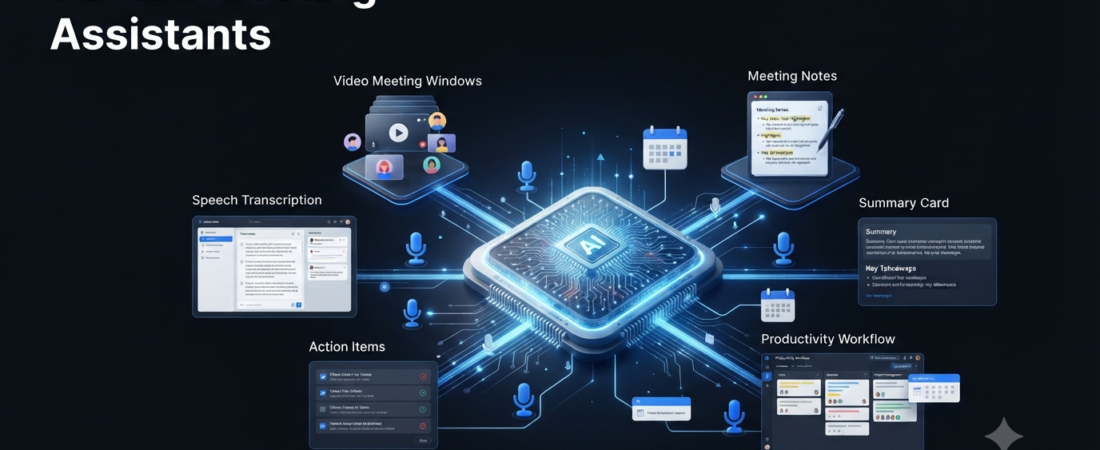
Meetings can take a lot of time. After a productive call, someone still needs to write notes, identify action items, remember important decisions, and send follow-up messages.
Fortunately, AI meeting assistants can handle much of this repetitive work. These tools can transcribe conversations, create summaries, identify action items, and make meeting information easier to find later.
As a result, professionals can spend less time writing notes and more time participating in the actual conversation.
In this guide, we’ll compare the best AI meeting assistants and explain which option may work best for different users.
What Is an AI Meeting Assistant?
An AI meeting assistant is software that uses artificial intelligence to understand and organize information from meetings.
For example, an AI meeting tool can listen to a conversation, convert speech into text, identify important points, and create a short summary.
Depending on the platform, you may also get features such as:
- Meeting transcription
- Automatic summaries
- Speaker identification
- Action-item extraction
- Searchable meeting history
- Key discussion points
- Follow-up information
- Integrations with business software
Therefore, instead of writing every detail manually, you can focus on the discussion and review the AI-generated notes afterward.
Best AI Meeting Assistants
The following tools cover different needs, from simple meeting notes to business workflows.
| AI Meeting Assistant | Best For | Main Strength |
|---|---|---|
| Fathom | Individuals and small teams | Simple AI meeting notes |
| Fireflies.ai | Business teams | Search and integrations |
| Otter.ai | Transcription | Live meeting transcription |
| Granola | Professionals | Bot-free meeting notes |
| tl;dv | Remote teams | Recordings and meeting clips |
| Fellow | Team management | Meetings and action items |
| Zoom AI Companion | Zoom users | Built into Zoom |
1. Fathom
Fathom is an AI meeting assistant designed to simplify recording, transcription, summaries, and meeting insights.
For individuals and small teams, its straightforward workflow can make meeting documentation much easier.
After a call, you can review the important parts instead of going through an entire recording.
Moreover, Fathom can help turn a long conversation into practical notes that are easier to share with your team.
Best for: Individuals, small teams, and users who want simple AI meeting notes.
2. Fireflies.ai
Fireflies.ai focuses on meeting transcription, summaries, search, and integrations.
One particularly useful feature is searchable meeting history. Once your team has many calls, finding one specific discussion can otherwise become difficult.
With Fireflies, you can search previous conversations and locate relevant information more quickly.
In addition, its business integrations make it useful for teams that want to connect meeting information with their existing workflows.
Best for: Sales teams, customer-facing teams, and businesses that need searchable meeting data.
3. Otter.ai
Otter.ai is a well-known AI transcription and meeting-note platform.
Its main strength is converting spoken conversations into text while also providing summaries and searchable records.
For that reason, Otter can work well beyond regular business meetings. Students, teachers, interviewers, and researchers can also use transcription features for suitable use cases.
Furthermore, live transcription can help users follow conversations while a meeting is still happening.
Best for: Live transcription, lectures, interviews, and meeting notes.
4. Granola
Granola takes a different approach to AI meeting notes.
Rather than relying on a visible meeting bot, Granola focuses on helping users create better notes from conversations through its desktop workflow.
That approach can feel less intrusive during meetings. Consequently, it may appeal to professionals who do not want another visible participant in their calls.
Granola is especially interesting for users who want AI assistance while keeping the meeting experience simple.
Best for: Professionals who prefer bot-free meeting notes.
5. tl;dv
tl;dv combines meeting recording, transcription, summaries, and sharing features.
Remote teams can benefit from these capabilities because team members may not always attend the same meetings.
For instance, instead of asking someone to watch an hour-long recording, you can share the relevant part of the conversation.
As a result, important meeting information becomes easier to revisit and share.
Best for: Remote teams, meeting recordings, and sharing important moments.
6. Fellow
Fellow focuses on meetings, collaboration, agendas, notes, and action items.
Unlike a basic transcription tool, Fellow connects meetings with broader team workflows.
For example, teams can organize meeting agendas, document decisions, and keep track of responsibilities.
Therefore, it can be a useful option for managers and teams that want meeting notes to lead directly into follow-up work.
Best for: Team meetings, managers, agendas, and action-item tracking.
7. Zoom AI Companion
Zoom provides AI capabilities through its AI Companion features.
For organizations that already use Zoom, this approach can be convenient because users may not need another separate meeting application.
Depending on the available plan and features, AI Companion can help with meeting summaries and other productivity tasks.
As a result, Zoom users may prefer built-in AI instead of adding another service to their workflow.
Best for: Teams that already use Zoom for regular meetings.
How AI Meeting Assistants Save Time
Traditional note-taking requires you to listen carefully while writing information at the same time.
That can create a difficult trade-off. If you focus heavily on your notes, you may miss part of the conversation. On the other hand, concentrating completely on the discussion can make important details easier to forget.
AI meeting assistants approach the problem differently.
A typical workflow looks like this:
Meeting → Transcription → AI Summary → Action Items → Follow-Up
Instead of creating everything manually, you can review the AI-generated information and make corrections when necessary.
Consequently, the meeting itself becomes easier to manage.
What Can AI Meeting Assistants Do?
Different platforms offer different features. Nevertheless, most AI meeting assistants focus on several core tasks.
Automatic Transcription
First, the software converts spoken conversations into text.
That creates a searchable record of what people discussed. Later, you can return to the transcript when you need a specific detail.
Meeting Summaries
Next, AI can identify major discussion points and create a shorter version of a long conversation.
Instead of replaying a full meeting, you can review the summary first. If something looks unclear, you can then return to the original conversation.
Action Items
Another useful feature is automatic task identification.
For example, a meeting might produce several tasks:
- Send the proposal
- Contact the customer
- Update the presentation
- Schedule the next meeting
Rather than manually searching through your notes, an AI assistant can help identify these responsibilities.
Searchable Conversations
Search becomes increasingly valuable as your meeting history grows.
You might remember that an important decision was discussed several weeks ago. However, finding the exact conversation manually could take considerable time.
With searchable transcripts, that information can be much easier to locate.
AI Meeting Assistants for Business
Businesses can get even more value when meeting information connects with existing workflows.
For example, a sales team could use meeting transcripts to identify customer requirements and follow-up tasks.
Similarly, customer service teams could analyze conversations to identify recurring problems.
Managers could also review summaries to understand decisions, responsibilities, and upcoming tasks.
However, businesses should consider privacy, security, permissions, and data retention before introducing an AI meeting tool across an organization.
As AI adoption grows, companies also need clear policies around confidential information and approved AI tools. (Reuters)
For more business-focused tools, check our guide to AI tools for small business.
AI Meeting Assistants for Students
Students can also find useful applications for AI meeting and transcription tools.
For example, these platforms can help organize lectures, study-group discussions, interviews, or project meetings where recording is permitted.
However, students should always follow their school’s or college’s rules regarding AI and recording.
If you are a student, you can also explore our guides to AI tools for students and AI tools for studying.
Are AI Meeting Assistants Accurate?
AI meeting assistants can make mistakes.
Background noise, overlapping speakers, accents, poor microphones, and unclear conversations can affect transcription quality.
Similarly, an AI-generated summary may misunderstand an important detail.
For that reason, review important notes before sending them to clients, managers, or teammates.
In particular, double-check names, numbers, deadlines, responsibilities, and important decisions.
The safest approach is simple: use AI as a meeting assistant, not as the final authority.
Are AI Meeting Assistants Safe?
Privacy deserves attention before you enable an AI meeting assistant.
Meetings can contain confidential business plans, customer information, internal discussions, or personal details.
Before choosing a platform, check its privacy policy, security information, data retention practices, and available administrative controls.
Additionally, make sure participants understand when a meeting is being recorded or transcribed.
Clear permission and responsible use should remain part of every AI meeting workflow.
How to Get Better Results From AI Meeting Assistants
You can improve your results by keeping meetings organized from the beginning.
First, define the main objective of the meeting.
Next, make important decisions and responsibilities clear during the conversation.
Afterward, review the AI-generated summary before sharing it.
Finally, turn important action items into actual tasks with owners and deadlines.
A simple workflow can look like this:
Prepare → Meet → Transcribe → Review → Assign → Follow Up
This process keeps AI involved without removing human judgment.
For more ways to improve everyday work, explore our guide to AI productivity tools.
Which AI Meeting Assistant Should You Choose?
The right tool depends on how you work.
For a simple experience, choose Fathom. It can be a good starting point for individuals and small teams.
For business workflows, consider Fireflies.ai. Searchable conversations and integrations can become valuable as your meeting library grows.
For transcription, try Otter.ai. Its focus on live transcription makes it useful for meetings, lectures, and interviews.
For bot-free notes, consider Granola. This option may suit professionals who prefer a less intrusive setup.
For remote teams, look at tl;dv. Recording and sharing features can help distributed teams stay informed.
For structured team meetings, consider Fellow. Its focus on agendas, notes, and action items makes it useful for managers.
For existing Zoom users, try Zoom AI Companion. Built-in features can keep your workflow inside the platform you already use.
Ultimately, the best choice is not necessarily the tool with the longest feature list.
Instead, choose the assistant that fits your existing meeting platform, privacy requirements, and workflow.
Our Recommendation
If you attend meetings regularly, start with a tool that solves your biggest problem.
For simple meeting notes, Fathom is a good place to start. If your priority is business search and integrations, Fireflies.ai deserves a closer look. Meanwhile, Otter.ai makes sense when transcription is your main requirement.
Most importantly, test the free option first when one is available. Check the transcription quality, summary accuracy, integrations, and privacy controls before paying for advanced features.
Our simple rule: choose the AI meeting assistant that saves you the most time after every meeting—not the one with the longest feature list.
The Future of AI Meeting Assistants
AI meeting tools are moving beyond simple transcription.
In the future, meeting assistants may do more than tell you what happened. They could connect conversations with CRM systems, project management platforms, calendars, communication tools, and other business software.
This development fits into the wider growth of AI agents that can handle multi-step workflows.
Google Cloud’s research on AI agents also highlights the movement toward more complex workflows rather than isolated AI tasks. (Google Cloud)
Therefore, future meeting assistants may become workplace agents that help turn conversations into actual work.
Human oversight will still matter, though. Important decisions, sensitive information, and external communications should receive appropriate human review.
Frequently Asked Questions
What is the best AI meeting assistant?
There is no single best option for everyone. Fathom works well for simple meeting notes, Fireflies.ai is useful for business workflows, Otter.ai focuses heavily on transcription, and Granola offers a bot-free approach.
Can AI meeting assistants record meetings?
Many AI meeting assistants can record or capture meeting audio, depending on the platform and permissions. Features and recording methods vary between products.
Can AI meeting assistants create action items?
Yes. Many modern meeting assistants can identify tasks and decisions from conversations and organize them into action items.
Are AI meeting assistants free?
Several platforms offer free plans or limited free features. Advanced capabilities, higher usage limits, and business features may require a paid subscription.
Can students use AI meeting assistants?
Students can use suitable meeting and transcription tools for lectures, interviews, study groups, and note organization when permitted. Always follow your school’s policies and recording rules.
Are AI meeting assistants worth it?
They can be valuable if you attend many meetings and spend significant time writing notes or tracking follow-ups. However, people who rarely attend meetings may not need a dedicated AI meeting assistant.
Final Thoughts
The best AI meeting assistants can reduce the repetitive work that happens before and after meetings.
Fathom, Fireflies.ai, Otter.ai, Granola, tl;dv, Fellow, and Zoom AI Companion each offer a different approach.
For that reason, don’t choose a tool simply because it has the most features. Instead, consider your meeting platform, team size, privacy requirements, and the type of work you need to automate.
Most importantly, review important AI-generated information before sharing it.
The goal is not to replace people in meetings. The goal is to spend less time taking notes and more time getting useful work done.
Affiliate Disclosure
Some links on Aiventa Guide may be affiliate links. If you purchase a product or service through an eligible link, we may earn a commission at no additional cost to you. We only recommend tools that we believe can provide genuine value.