
Best AI Email Assistants: 7 Tools to Manage Your Inbox
Best AI Email Assistants can help you draft replies, summarize long conversations, find important information, and organize a busy inbox. Instead of spending unnecessary time on repetitive email tasks, you can use AI to prepare responses and manage messages more efficiently.
However, different tools solve different problems. Some work inside Gmail or Outlook, while others provide a separate email interface with built-in AI features.
In this guide, we compare seven AI email assistants, explain their main uses, and help you choose an option that fits your workflow.
What Is an AI Email Assistant?
An AI email assistant is software that uses artificial intelligence to help you manage email-related tasks.
Depending on the tool, it may draft replies, summarize conversations, identify important messages, search email history, or organize incoming messages.
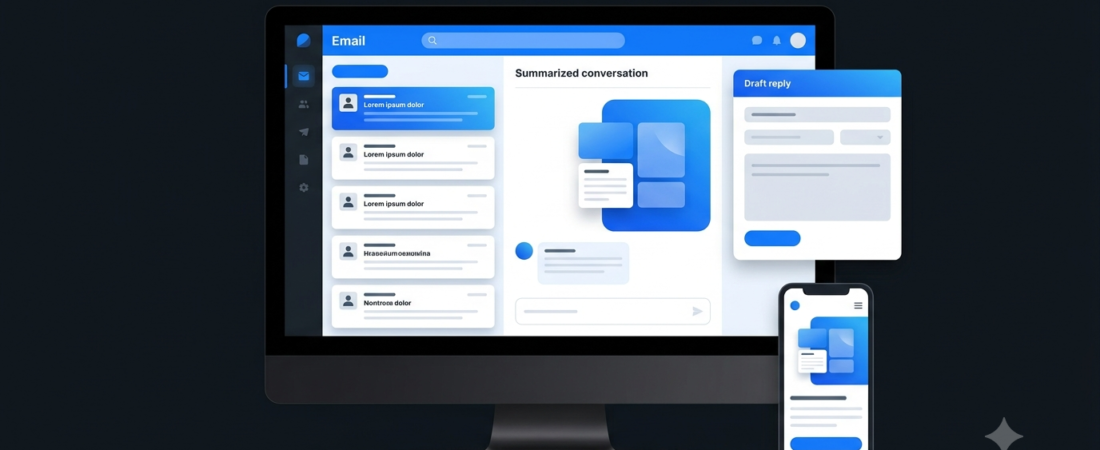
For example, imagine receiving a long email thread about a client project. An AI assistant could summarize the conversation and prepare a draft reply. You can then check the details, edit the wording, and send the response yourself.
Not every tool offers all these capabilities. Therefore, compare the actual features before connecting your inbox.
Best AI Email Assistants
Here are seven tools worth considering for different email workflows.
| Tool | Best For | Main Strength |
|---|---|---|
| Gemini in Gmail | Gmail users | AI assistance within Gmail |
| Microsoft Copilot in Outlook | Microsoft 365 users | Email drafting and summaries |
| Shortwave | Gmail-focused workflows | AI search and conversation management |
| Superhuman Mail | Heavy email users | Fast email workflows and AI assistance |
| SaneBox | Inbox organization | Filtering and prioritization |
| Canary Mail | Multiple email accounts | AI-assisted email management |
| MailMaestro | Professional email writing | Drafting and email assistance |
Features and availability can vary by plan, account, device, and region.
1. Gemini in Gmail — Best for Gmail Users
Gemini in Gmail brings AI assistance into Google’s email ecosystem. Depending on your account and plan, supported features can help summarize email conversations, draft replies, and find information across messages.
This makes it worth considering if you already use Gmail and want AI assistance without switching to an entirely different email application.
For example, you could ask for help drafting a polite response to a business inquiry or summarizing a long conversation before replying.
Best for: Gmail users, students, and professionals.
Why choose it: You want AI assistance within an email service you already know.
Limitation: Feature availability depends on the account and subscription. Check Google’s current eligibility and privacy information before using AI with sensitive correspondence.
2. Microsoft Copilot in Outlook — Best for Microsoft 365 Users
Microsoft Copilot can assist with supported email workflows in Outlook, including drafting messages and summarizing conversations.
It may be particularly useful if your work already takes place in Microsoft 365. Keeping email assistance within your existing workflow can reduce the need to move between separate applications.
For example, you might use a conversation summary to understand a lengthy project discussion before preparing a response.
Best for: Professionals and organizations using Microsoft 365.
Why choose it: You want AI-assisted communication within Microsoft’s productivity environment.
Limitation: Availability depends on the subscription, account type, administrator settings, and current feature rollout. Verify these requirements before purchasing a plan.
3. Shortwave — Best for AI-Powered Inbox Search
Shortwave is an AI-focused email application designed around Gmail. Its features include AI-assisted search, email organization, and tools for working with conversations.
It is worth considering if you frequently search old messages or need to understand lengthy email threads.
For example, you may want to locate a previous discussion about a project requirement without manually opening dozens of messages.
Best for: Gmail users with busy inboxes.
Why choose it: You want a more AI-focused way to search and organize email conversations.
Limitation: Shortwave is primarily designed for Gmail-based workflows. Check account compatibility and current plan limits before switching from your existing email client.
4. Superhuman Mail — Best for Heavy Email Workflows
Superhuman Mail focuses on making email work faster through an email-client experience, keyboard-driven workflows, and AI-assisted features.
It may appeal to founders, executives, sales professionals, and others who spend a significant part of the day responding to messages.
For instance, templates and AI-assisted drafting can help you prepare common responses more quickly while maintaining a consistent communication style.
Best for: Professionals who handle large volumes of email.
Why choose it: You want a streamlined email workflow with productivity features.
Limitation: A dedicated email client may require a change in working habits. Compare current pricing and supported email accounts before subscribing.
5. SaneBox — Best for Inbox Organization
SaneBox focuses on filtering email and reducing inbox distractions. It can help separate less important messages from email that deserves more immediate attention.
This approach is useful if newsletters, routine notifications, and other low-priority messages make it difficult to find important conversations.
Unlike a complete AI email-writing assistant, SaneBox is primarily an inbox-management solution.
Best for: People who want to organize incoming email without completely changing their email application.
Why choose it: Your main problem is inbox clutter rather than writing replies.
Limitation: Filtering requires sensible settings and review. Check how the service handles your account data and whether its filtering approach suits your needs.
6. Canary Mail — Best for Managing Email Accounts
Canary Mail offers an email client with AI-assisted features. Depending on the supported setup and plan, it can help users work with messages and manage their email workflow.
It is worth exploring if you use multiple email accounts and want a single application with productivity features.
For example, a freelancer may need to manage personal email alongside separate business correspondence.
Best for: Users who manage several email accounts.
Why choose it: You want email management and AI assistance in one client.
Limitation: Confirm support for your email providers, devices, and required features. Review the privacy policy before connecting accounts that contain confidential information.
7. MailMaestro — Best for Professional Email Drafting
MailMaestro offers AI-assisted email-writing tools designed to help people draft and improve professional messages.
It may be useful when you frequently write client updates, follow-ups, meeting summaries, or other business correspondence.
For example, you can prepare a draft from a short description of the message you want to communicate, then revise it to match the situation and your usual tone.
Best for: Professionals, client-facing teams, and business communication.
Why choose it: You mainly want help writing clearer emails rather than replacing your entire inbox.
Limitation: Check current product availability, supported email platforms, subscription terms, and data-handling practices before connecting your account.
AI Email Assistant Comparison
Choosing the right tool becomes easier when you focus on the problem you want to solve.
| Tool | Main Use | Consider It If |
|---|---|---|
| Gemini in Gmail | Email assistance | You already use Gmail |
| Copilot in Outlook | Business email workflows | You use Microsoft 365 |
| Shortwave | Search and organization | You want an AI-focused inbox |
| Superhuman Mail | Faster email handling | You manage many messages |
| SaneBox | Inbox filtering | Your inbox contains too much clutter |
| Canary Mail | Email client and AI features | You manage multiple accounts |
| MailMaestro | Drafting assistance | You write many professional emails |
These are use-case recommendations, not independent performance rankings. Confirm current features and account requirements on each provider’s website.
What Can AI Email Assistants Do?
Draft Replies Faster
AI can turn a short description into a draft email. You can then adjust the tone, add missing context, and verify the facts before sending.
This is particularly helpful for routine questions, client updates, and professional follow-ups.
Summarize Long Conversations
Some tools can summarize supported email threads and highlight key points. This can save time when you need to understand a conversation before responding.
However, verify important dates, names, commitments, and figures against the original messages.
Organize Incoming Messages
Email-management tools can help separate newsletters, routine notifications, and other low-priority messages. As a result, important conversations may become easier to find.
Find Information in Old Emails
AI-powered search can make it easier to look for information using natural-language questions, where supported.
For example, you might search for a previous discussion about a project deadline rather than guessing the original subject line.
For broader workflow ideas, explore our guides to AI Productivity Tools and AI Automation Tools.
How to Choose the Best AI Email Assistant
Before choosing a tool, ask yourself these five questions.
1. Which Email Service Do You Use?
If you rely on Gmail or Outlook, start by checking the AI features available in your existing account. A built-in option may be sufficient.
2. Do You Need Writing Help or Inbox Automation?
Choose an email-writing assistant if drafting replies is your main challenge. If your inbox is cluttered, consider a filtering tool instead.
3. How Much Control Do You Want?
Some tools mainly suggest text or summarize conversations. Others offer more extensive organization and automation features. Understand which actions require your approval.
4. Does the Price Fit Your Budget?
Compare subscription costs, usage limits, and required account plans. Avoid paying for an advanced tool if you only need occasional help writing emails.
5. Is Your Email Data Protected?
Email can contain personal information, business documents, and confidential discussions. Review permissions, retention policies, and AI data-use terms before connecting an account.
For more business-focused options, read our guide to AI Tools for Small Business.
Are AI Email Assistants Worth It?
They can be useful when you spend significant time drafting routine messages, searching old conversations, or sorting incoming email.
However, an additional subscription is not always necessary. Start by checking the AI features already included in your email service.
Also, keep human review in the workflow. AI can misunderstand a conversation, generate incorrect details, or use a tone that does not fit the recipient.
Frequently Asked Questions
What is the best AI email assistant?
The right choice depends on your needs. Gemini in Gmail and Microsoft Copilot in Outlook suit their respective ecosystems, while Shortwave, SaneBox, and other specialist tools address different inbox-management problems.
Can AI write emails automatically?
Many tools can draft email responses. Whether a tool can send messages automatically depends on its features, permissions, and settings. Review drafts before sending important correspondence.
Are AI email assistants free?
Availability varies. Some tools may provide limited access or trial options, while advanced features require a paid plan. Check the official pricing page for current terms.
Is it safe to connect AI to my email account?
Safety depends on the provider, permissions, and data-handling practices. Review its privacy policy, avoid unnecessary permissions, and do not submit confidential information without understanding how it is processed.
Can AI organize my Gmail inbox?
Some tools can categorize, filter, search, or summarize Gmail messages. The exact capabilities depend on the tool and account configuration.
Our Recommendation
If you already use Gmail or Outlook, begin by checking the AI capabilities available in your current account. This may be the simplest approach.
If you need a different inbox experience, explore Shortwave or Superhuman Mail. If clutter is your main problem, consider SaneBox. For professional drafting or multiple email accounts, evaluate MailMaestro or Canary Mail against your specific needs.
Final Thoughts
The best AI email assistants are not necessarily the ones with the most features. They are the ones that solve your biggest email problem without adding unnecessary cost or complexity.
Start with one clear goal: write replies faster, understand long conversations, organize your inbox, or search old messages. Test the most relevant tool, verify its privacy practices, and review AI-generated content before using it.
That way, you can make email management more efficient while keeping control of your communication.