
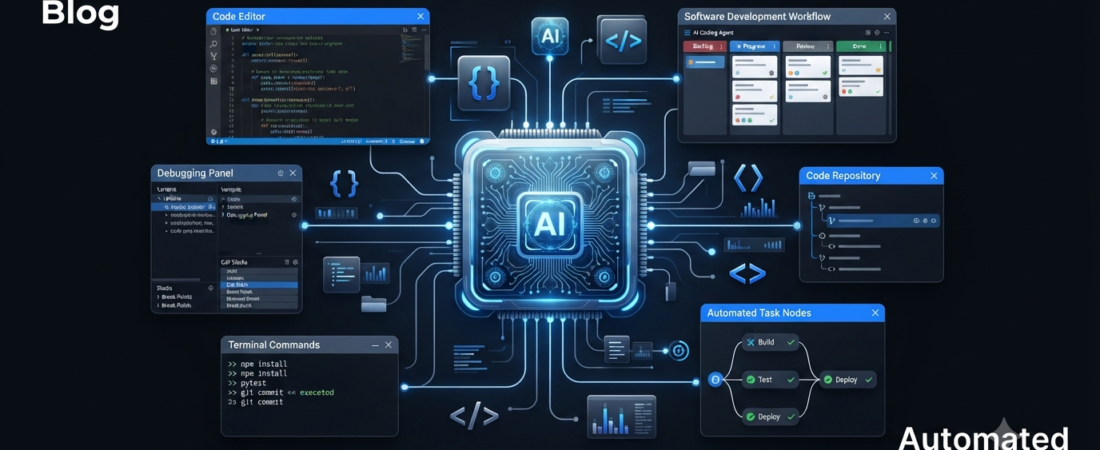
AI is changing the way developers build software. Instead of using AI only to generate small code snippets, developers can now use AI coding agents to understand projects, edit multiple files, find bugs, write code, run tasks, and handle larger development workflows.
As AI becomes more capable, coding agents are becoming an important part of modern software development. These tools can assist with everything from simple coding tasks to complex projects that require multiple steps.
However, every AI coding tool has a different approach. Some tools focus on professional developers, while others provide a simpler experience for beginners.
In this guide, we will explore the best AI coding agents, what they can do, and which type of developer can benefit from each tool.
What Are AI Coding Agents?
AI coding agents are AI-powered tools that can handle more than basic programming questions.
A traditional AI chatbot may generate a code snippet after receiving a prompt. In contrast, an AI coding agent can understand your project, work with multiple files, identify problems, and help complete several development tasks.
For example, you can ask an AI coding agent to:
- Find and fix a bug
- Create a new feature
- Modify multiple files
- Explain an unfamiliar codebase
- Write tests
- Refactor existing code
- Generate documentation
- Investigate errors
- Build parts of an application
Because these tools can handle multiple steps, they have become closely connected with the growth of agentic AI in software development.
If you want to understand this technology first, check our guide on what is agentic AI.
Best AI Coding Agents
Several AI coding tools now offer agent-style features. However, each one targets a slightly different type of workflow.
1. Cursor
Cursor is an AI-powered code editor built around modern software development.
The tool can understand project context and assist with code generation, editing, debugging, and larger coding tasks. As a result, developers can work with AI directly inside their coding environment instead of constantly switching between an editor and a chatbot.
Cursor can be especially useful when you work on larger projects with multiple files.
Best for: Developers working on real projects and larger codebases.
2. Claude Code
Claude Code helps developers work with codebases through an agent-style workflow.
Rather than focusing only on individual code snippets, it can help developers understand projects, investigate problems, modify files, and work through development tasks.
For complex projects, this approach can make it easier to handle tasks that require reasoning across several files.
Best for: Developers working on complex coding projects.
3. GitHub Copilot
GitHub Copilot is one of the most widely known AI coding assistants.
It can generate code suggestions, explain programming concepts, create functions, and help developers while they work inside supported development environments.
Developers who already use GitHub can also benefit from its integration with the broader GitHub ecosystem.
Best for: Developers who want AI assistance alongside their GitHub workflow.
4. Replit
Replit combines coding, AI assistance, development tools, and deployment in one platform.
Its AI features can help turn natural-language ideas into working applications. Therefore, the platform can appeal to beginners, students, and developers who want to create prototypes quickly.
For instance, you can describe an application idea and use AI to create an initial version that you can then modify.
Best for: Beginners, students, prototypes, and fast app development.
5. Google Gemini for Coding
Google’s Gemini ecosystem also provides AI assistance for software development.
Developers can use Gemini to explain programming concepts, generate code, analyze technical problems, and work through more complicated development tasks.
Google has also been expanding its focus on agentic coding. Its recent AI developments show how coding agents are becoming part of broader AI-powered workflows.
Best for: Developers who already use Google’s AI ecosystem.
6. Amazon Q Developer
Amazon Q Developer focuses heavily on developers working with AWS and cloud technologies.
The tool can assist with coding, troubleshooting, understanding AWS services, and handling development-related tasks.
For teams that already depend on AWS infrastructure, this integration can make AI assistance more convenient.
Best for: AWS developers and cloud-focused teams.
7. Windsurf
Windsurf is an AI-focused development environment designed to integrate AI throughout the coding process.
Instead of treating AI as a separate chatbot, the platform aims to make AI assistance part of the development workflow.
That approach can help developers work on coding tasks while keeping the AI close to their existing tools.
Best for: Developers looking for an AI-first coding environment.
AI Coding Agents vs Traditional AI Coding Assistants
AI coding assistants and AI coding agents may look similar, but their workflows can differ significantly.
| Feature | AI Coding Assistant | AI Coding Agent |
|---|---|---|
| Generate code | Yes | Yes |
| Explain code | Yes | Yes |
| Understand project context | Limited to strong | Usually stronger |
| Work across multiple files | Sometimes | Often |
| Debug problems | Yes | Yes |
| Complete multi-step tasks | Limited | Stronger |
| Handle development workflows | Limited | More capable |
| Human supervision | Recommended | Essential |
The biggest difference is how much of a task the AI can handle independently.
An assistant usually responds to a specific coding request. An agent, on the other hand, can plan several steps and work across different parts of a project.
Even so, developers should not accept every AI-generated change without checking it.
Human review remains important because AI-generated code can contain bugs, security problems, or incorrect assumptions.
Which AI Coding Tool Is Best for Beginners?
AI coding agents can help beginners learn and experiment with programming. However, they work best when you also understand basic programming concepts.
Replit can be a convenient starting point because it combines coding, AI assistance, and development tools in one environment.
You can describe what you want to build, generate an initial version, and then learn by examining and modifying the code.
At the same time, learning variables, functions, databases, APIs, HTML, CSS, and JavaScript will help you understand what the AI actually creates.
For more coding-focused tools, explore our complete guide to AI tools for coding.
Which AI Coding Agent Is Best for Developers?
The right choice depends on your workflow and development environment.
For an AI-first code editor, Cursor is a strong option to explore.
Meanwhile, Claude Code can be useful when a project requires complex reasoning across multiple files.
Developers who prefer a browser-based environment may find Replit convenient, especially for prototypes and smaller applications.
On the other hand, teams that work heavily with AWS may prefer Amazon Q Developer because it fits naturally into the AWS ecosystem.
Ultimately, the most useful tool is not necessarily the one with the largest feature list. Instead, choose the platform that fits your projects and development habits.
How AI Coding Agents Can Save Time
One major advantage of AI coding agents is their ability to handle repetitive development work.
For example, an agent can help create boilerplate code, write tests, explain errors, refactor repetitive sections, or investigate problems across several files.
As a result, developers can spend more time on architecture, product requirements, user experience, and business logic.
However, saving time does not simply mean generating code faster.
The bigger advantage comes from delegating parts of a development task while keeping a developer involved in reviewing the final result.
Are AI Coding Agents Safe to Use?
AI coding agents can be useful, but you should use them carefully when working with private or production software.
Before giving an AI tool access to an important project, check the following:
- What files can the tool access?
- Which permissions does it have?
- Can it execute commands?
- Where does it process your code?
- How does it handle sensitive information?
- Can you review changes before applying them?
- Does your project contain passwords or API keys?
Never place sensitive credentials directly inside prompts or source code.
For production applications, use version control, testing, code reviews, and appropriate security practices. These steps give you a safer way to experiment with AI-assisted development.
The Future of AI Coding Agents
AI coding agents are moving beyond simple autocomplete and toward more complete software development workflows.
Developers can increasingly delegate repetitive and multi-step tasks to AI while remaining responsible for important technical decisions.
However, these systems still have limitations. An AI agent can misunderstand a requirement, make an incorrect change, or generate code that looks reasonable but contains hidden problems.
Therefore, the future is unlikely to depend entirely on autonomous AI.
Instead, developers will increasingly work alongside AI systems. The AI can handle more execution, while humans provide direction, architecture, testing, security review, and final decisions.
If you want to learn more about AI agents beyond coding, check our guide to the best AI agents.
Frequently Asked Questions
What is an AI coding agent?
An AI coding agent is an AI system that helps complete software development tasks. Unlike a basic code generator, an agent can often understand project context and work through multiple steps.
What is the best AI coding agent?
There is no single best tool for everyone. Cursor, Claude Code, GitHub Copilot, Replit, Gemini, Amazon Q Developer, and Windsurf all support different development workflows.
Can beginners use AI coding agents?
Yes. Beginners can use AI coding agents to learn programming and build simple projects. Still, learning basic programming concepts remains important because you need to understand and review the generated code.
Are AI coding agents replacing programmers?
AI coding agents are changing software development, but they do not remove the need for developers. Humans still need to define requirements, review code, test applications, solve complex problems, and make technical decisions.
Can AI coding agents build complete applications?
Some AI coding platforms can help developers create substantial applications from natural-language instructions. However, complex applications still require testing, debugging, architecture decisions, security checks, and human supervision.
Final Thoughts
AI coding agents are becoming an important part of modern software development.
Tools such as Cursor, Claude Code, GitHub Copilot, Replit, Gemini, Amazon Q Developer, and Windsurf can help developers write, understand, debug, and improve software.
Instead of choosing a tool simply because it is popular, consider your own development workflow. A beginner may prefer a simpler platform, while an experienced developer may need deeper project access and multi-file capabilities.
For beginners, start with small projects and learn the fundamentals alongside AI. Experienced developers can experiment with agents on controlled tasks and review every important change.
Overall, AI coding agents are moving software development toward a collaborative workflow where humans define the goals and AI handles more of the execution.
Affiliate Disclosure: Some links on Aiventa Guide may be affiliate links. If you purchase through an eligible link, we may earn a commission at no additional cost to you. We only recommend tools we believe may be useful to our readers.