
AI Website Testing Tools: 7 Tools for Better Websites
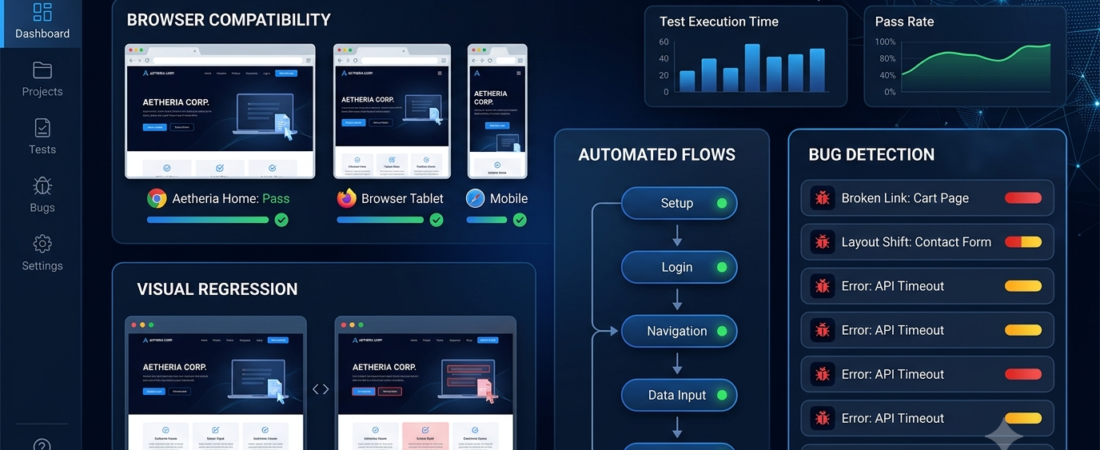
AI website testing tools help developers and website owners identify problems, automate repetitive checks, and improve website reliability. Instead of manually testing every page and interaction, teams can use automation to check common user journeys and discover potential issues faster.
A website may look correct on one device but still contain broken forms, navigation problems, layout issues, or browser-specific bugs. These problems can frustrate visitors and affect conversions.
In this guide, we compare seven website testing tools, explain their main uses, and help you choose an option that fits your website and technical experience.
What Is AI Website Testing?
AI website testing uses artificial intelligence or AI-assisted automation to help evaluate website behavior, appearance, functionality, or performance.
Depending on the platform, these tools may help teams:
- Automate repetitive browser tests.
- Detect unexpected changes in page layouts.
- Test forms, buttons, and navigation.
- Identify broken user journeys.
- Reduce the effort needed to maintain test scripts.
- Analyze test results and troubleshoot failures.
However, not every automated testing tool uses AI in the same way. Some platforms focus on traditional browser automation, while others offer AI-assisted test creation, visual comparison, or maintenance features.
7 AI Website Testing Tools to Consider
1. Testim — AI-Assisted Test Automation
Testim focuses on automated software testing and helps teams create and maintain tests for web applications. Its AI-assisted capabilities are designed to make some test automation tasks easier to manage.
Best for: Teams testing web applications regularly.
Key features:
- Supports automated browser testing.
- Helps create reusable test flows.
- Offers tools for maintaining tests as applications change.
- Supports collaborative testing workflows.
Potential limitation: Teams should evaluate supported integrations, plan limits, and how well the platform handles their particular application.
2. mabl — Intelligent Test Automation
mabl provides test automation for web applications and other supported software workflows. It aims to help teams automate testing and identify issues across application releases.
Best for: Software teams that want to integrate testing into their development process.
Key features:
- Automates supported application tests.
- Helps teams run tests repeatedly.
- Supports test reporting and debugging.
- Can fit into continuous integration workflows.
Potential limitation: Initial setup and integration may require technical knowledge, especially in complex environments.
3. Applitools — Visual Testing
Applitools specializes in visual testing, helping teams compare application appearances and detect unintended visual differences.
For example, a developer might use visual tests to check whether a navigation menu, checkout page, or dashboard changes unexpectedly after a website update.
Best for: Websites and applications where visual consistency is important.
Key features:
- Helps detect visual differences.
- Supports visual testing workflows.
- Can complement functional tests.
- Helps teams review changes across supported environments.
Potential limitation: Visual testing does not replace functional testing, accessibility checks, or real-user testing.
4. BrowserStack — Cross-Browser and Device Testing
BrowserStack helps teams test websites and applications across supported browsers, operating systems, and devices. It is particularly useful when a website must work consistently for visitors using different environments.
Best for: Developers and QA teams testing browser compatibility.
Key features:
- Provides access to supported browser and device environments.
- Helps test responsive website behavior.
- Supports automated testing workflows.
- Helps investigate device-specific problems.
Potential limitation: It is primarily a testing platform rather than a fully AI-driven testing solution. Review the current plan for the features you need.
5. Playwright — Reliable Browser Automation
Playwright is an open-source browser automation framework used to test web applications. Developers can write tests that interact with pages, submit forms, navigate between screens, and verify expected behavior.
Although Playwright itself is not an AI testing product, developers can combine it with AI-assisted coding workflows to help draft or maintain test scripts.
Best for: Developers who want flexible browser testing and control over their test code.
Key features:
- Automates browser interactions.
- Supports multiple browser engines.
- Helps test common user journeys.
- Can integrate into development pipelines.
Potential limitation: Teams generally need programming skills to build and maintain a robust test suite.
Official documentation: https://playwright.dev/
6. Cypress — End-to-End Website Testing
Cypress is a testing framework used to test web applications. It helps developers automate browser-based checks and confirm that key features behave as expected.
Like Playwright, Cypress is not inherently an AI testing tool. However, it can be part of an AI-assisted development and testing workflow.
Best for: Developers who want a structured way to test web application behavior.
Key features:
- Supports end-to-end testing.
- Helps validate forms and user interactions.
- Provides debugging tools.
- Can run tests during development and deployment.
Potential limitation: Developers must learn the framework and maintain their tests as the application changes.
7. Selenium — Flexible Browser Test Automation
Selenium is a widely used browser automation framework that allows developers to control browsers through code. It can support automated checks for forms, navigation, and other website functionality.
Selenium is not an AI product by itself, but teams can combine browser automation with external AI tools where appropriate.
Best for: Teams that need flexible, code-based browser automation.
Key features:
- Supports browser automation.
- Works with several programming languages.
- Can be integrated into test workflows.
- Offers flexibility for customized test scenarios.
Potential limitation: Maintaining stable tests requires technical experience and a well-designed testing strategy.
Official project website: https://www.selenium.dev/
AI Website Testing Tools Compared
| Tool | Main purpose | Best suited for |
|---|---|---|
| Testim | AI-assisted test automation | Web application teams |
| mabl | Automated testing workflows | Software development teams |
| Applitools | Visual testing | Teams focused on visual consistency |
| BrowserStack | Browser and device compatibility | Cross-browser testing |
| Playwright | Code-based browser automation | Developers |
| Cypress | End-to-end testing | Web developers |
| Selenium | Flexible browser automation | Technical QA teams |
This is a practical comparison, not a universal ranking. Some tools use AI directly, while others provide the automation foundation for a broader testing workflow.
How AI Website Testing Improves Website Quality
1. Find Bugs Before Visitors Do
Automated tests can check important interactions such as signing in, submitting forms, navigating between pages, or completing a checkout process.
When a test fails, the team can investigate the issue before releasing a change. However, automated tests only cover the scenarios they are designed to test.
2. Reduce Repetitive Manual Testing
A team may need to check the same pages after every website update. Automated test cases can repeat these checks, freeing time for more complex investigation.
3. Detect Visual Changes
Visual testing tools can compare page screenshots or rendered elements to help identify unexpected changes. Teams should review flagged differences because some visual changes are intentional.
4. Improve Browser Compatibility
A page may behave differently across browsers or screen sizes. Cross-browser testing helps teams discover compatibility problems and correct them before they affect more users.
For additional development resources, explore our guide to AI tools for coding.
How to Choose the Right Website Testing Tool
Before selecting a tool, consider these factors.
1. Identify your main problem. Decide whether you need functional tests, visual testing, browser compatibility checks, or automated regression testing.
2. Match the tool to your skills. No-code or low-code platforms may suit less technical teams, while Playwright, Cypress, and Selenium offer more code-based control.
3. Check integrations. Confirm compatibility with your development tools, source control, and deployment process.
4. Evaluate test maintenance. Tests should remain manageable when page layouts, selectors, or user journeys change.
5. Review costs. Compare free and paid features, usage limits, parallel test capacity, and any additional infrastructure costs.
6. Start with critical user journeys. Begin with the most important website actions, such as contact forms, account registration, and checkout.
7. Include accessibility and performance checks. Browser automation alone does not guarantee that a website is accessible or fast. Use suitable additional testing methods.
You can also review our guide to how to choose AI tools before committing to a platform.
Common Website Testing Mistakes
Even good tools can produce poor results when testing is not planned properly.
- Testing only the homepage: Important problems may occur deeper in the website.
- Ignoring mobile layouts: Responsive issues can affect visitors on smaller screens.
- Trusting every automated result: Failed tests and visual differences need investigation.
- Skipping real-user checks: Automation cannot fully reproduce every real visitor’s experience.
- Neglecting accessibility: Check keyboard navigation, labels, contrast, and other accessibility requirements separately.
- Running tests only after release: Testing during development can help catch issues earlier.
A focused set of reliable tests is often more useful than a large collection of unstable tests.
Frequently Asked Questions
What are AI website testing tools?
They are tools that use AI-assisted features or automation to help test website functionality, appearance, and behavior. Their capabilities vary by platform.
Can AI test an entire website automatically?
Tools can automate many defined scenarios, but no platform can guarantee that every bug will be discovered. Human review, exploratory testing, accessibility checks, and performance testing remain important.
Which website testing tool is best for beginners?
A managed testing platform may be easier for beginners who prefer less coding. Playwright, Cypress, and Selenium are useful options for users willing to learn browser automation and programming.
Are website testing tools free?
Some tools and frameworks offer free or open-source options. Managed platforms may charge for advanced features, usage, device access, or team capabilities. Check current plans before deciding.
Does automated testing improve SEO?
Testing can help uncover problems such as broken navigation, malfunctioning forms, or rendering issues that harm the user experience. However, using a testing tool does not automatically improve rankings. Technical SEO, useful content, indexing, and site performance also matter.
Conclusion
AI website testing tools can help teams catch problems earlier, reduce repetitive checks, and maintain more reliable websites. Testim and mabl focus on automated testing workflows, Applitools specializes in visual testing, and BrowserStack helps evaluate browser and device compatibility.
For developers who prefer code-based control, Playwright, Cypress, and Selenium are useful options.
Start by identifying your website’s most important user journeys, test them consistently, and expand coverage as your needs grow. Combine automation with accessibility, performance, and real-user checks for a more complete quality strategy.
Explore Aiventa Guide for more practical AI software and productivity guides.