
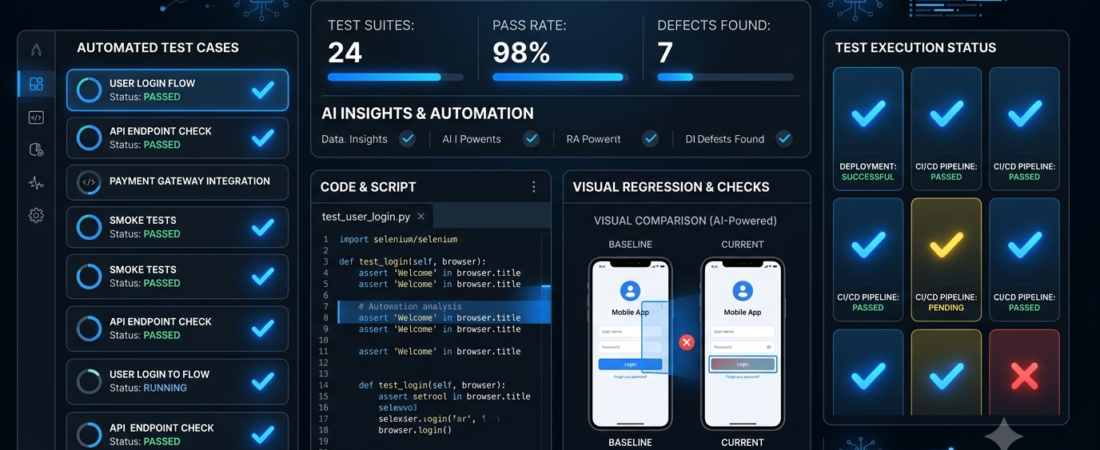
Best AI Tools for Software Testing
AI tools for software testing help development teams create tests, identify potential defects, check user interfaces, and automate repetitive quality assurance tasks. Instead of relying entirely on manual testing, teams can use AI-assisted tools to make their testing workflows more efficient.
For example, when a developer updates a website, a testing tool can help check whether important features still work, whether buttons respond correctly, and whether the interface looks consistent across different screens.
However, every platform has different strengths. Some focus on automated browser testing, while others specialize in visual testing, low-code test creation, or end-to-end quality assurance.
In this guide, we’ll compare seven AI tools for software testing and explain how to choose the right one for your project.
What Are AI Tools for Software Testing?
AI tools for software testing use artificial intelligence or machine learning to assist with checking software quality. Depending on the platform, they may help generate test cases, maintain automated tests, analyze failures, or identify visual differences.
Common capabilities include:
- Generating test scenarios from requirements.
- Automating repetitive browser interactions.
- Identifying visual differences between screens.
- Helping analyze test failures.
- Reducing the maintenance required for automated tests.
- Supporting regression testing after software updates.
AI does not eliminate the need for software testers. Teams still need to verify results, investigate unexpected behavior, and decide whether an issue represents a genuine defect.
If you’re also exploring development-focused AI tools, see our guide to AI tools for coding.
7 Best AI Tools for Software Testing
1. mabl — Best for AI-Assisted Test Automation
mabl is a software testing platform focused on automated testing for web applications and related workflows. It helps teams create, execute, and maintain tests as their applications change.
Key features:
- End-to-end application testing
- Automated browser testing
- Test execution and reporting
- Support for identifying and investigating failures
- AI-assisted testing capabilities
Best for: QA teams and development teams that want to automate recurring application tests.
Potential drawback: Teams should evaluate pricing, supported integrations, and whether the platform fits their existing development workflow.
2. Testim — Best for Browser Test Automation
Testim focuses on creating and maintaining automated tests for web applications. Its intelligent locators and test-maintenance capabilities are designed to help tests remain usable as application interfaces evolve.
Key features:
- Automated browser tests
- Test creation and maintenance
- Reusable testing steps
- Test execution and reporting
- Support for collaborative testing workflows
Best for: Teams that repeatedly test web application features and want to reduce manual regression testing.
Potential drawback: Automated tests still need review when application behavior or requirements change significantly.
3. Functionize — Best for AI-Driven Testing Workflows
Functionize offers software testing automation with AI-assisted capabilities. Its approach aims to help teams create, execute, and maintain tests for complex application workflows.
Key features:
- AI-assisted test creation
- Automated application testing
- Test maintenance support
- Test results and failure analysis
- Testing workflows for web applications
Best for: Organizations looking to expand automated testing across larger application workflows.
Potential drawback: The suitability of the platform depends on your application’s architecture, testing requirements, and budget.
4. Applitools — Best for Visual Testing
Applitools specializes in visual testing and helps teams detect unintended changes in an application’s appearance. Its visual AI capabilities can compare screenshots and distinguish meaningful visual differences from some harmless rendering variations.
Key features:
- Visual regression testing
- Screenshot comparison
- Cross-browser visual checks
- Integration with testing frameworks
- AI-assisted visual analysis
Best for: Teams building websites, dashboards, and applications where consistent visual presentation matters.
Potential drawback: Visual testing cannot replace functional testing. A page may look correct while a button or underlying feature is broken.
5. Katalon — Best for a Broad Testing Toolkit
Katalon provides software testing tools for web, mobile, API, and desktop application workflows. It offers options for different levels of technical experience, alongside automation and AI-related capabilities that vary by product and plan.
Key features:
- Web and mobile testing
- API testing
- Test automation and reporting
- Reusable test components
- AI-assisted features in supported workflows
Best for: QA teams that need to test multiple types of applications from a broader testing environment.
Potential drawback: Teams should compare the available features and licensing carefully to avoid paying for capabilities they don’t need.
6. QA Wolf — Best for Managed End-to-End Testing
QA Wolf focuses on helping teams build and maintain automated end-to-end tests. Its service model is designed to reduce the amount of testing infrastructure and ongoing test maintenance that a team needs to manage internally.
Key features:
- End-to-end test automation
- Automated browser testing
- Test maintenance support
- Test execution and reporting
- Collaboration around quality assurance
Best for: Teams that want to expand automated end-to-end testing without managing every part of the testing process themselves.
Potential drawback: Its service approach may not suit teams that require complete control over every aspect of their testing infrastructure. Check the current offering and commercial terms before deciding.
7. Playwright with AI-Assisted Development — Best for Developer-Led Testing
Playwright is a browser automation and testing framework used to test web applications across supported browsers. It is not itself an AI testing platform, but developers can combine it with AI coding assistants to draft tests, explain failures, and help maintain test scripts.
Key features:
- Automated browser testing
- Cross-browser testing
- Test assertions and reporting
- Support for end-to-end workflows
- Flexible integration with development pipelines
Best for: Developers and technical QA teams who want control over their testing code.
Potential drawback: Teams generally need programming knowledge to build and maintain a robust test suite. AI-generated test code must also be reviewed and executed before being trusted.
AI Software Testing Tools Compared
| Tool | Best use | Main strength |
|---|---|---|
| mabl | End-to-end automation | AI-assisted testing workflows |
| Testim | Browser test automation | Test creation and maintenance |
| Functionize | Automated testing workflows | AI-assisted test lifecycle |
| Applitools | Visual regression testing | Visual difference detection |
| Katalon | Multiple testing types | Broad testing toolkit |
| QA Wolf | Managed end-to-end testing | Support for test automation |
| Playwright | Developer-led testing | Flexible browser automation |
Features, AI capabilities, integrations, and pricing can change. Confirm current availability and plan limits before selecting a tool.
How to Choose the Right AI Testing Tool
1. Define What You Need to Test
Start by identifying the type of software you want to test.
For example, Applitools may be suitable when visual consistency is important. A browser automation tool may be more appropriate when you need to check whether forms, buttons, and user workflows function correctly.
2. Evaluate Test Creation and Maintenance
Creating automated tests is only part of the process. Tests must also remain reliable as your application changes.
Look for tools that make it easier to update test steps, understand failures, and maintain a useful test suite.
3. Check Framework Compatibility
Before choosing a platform, check whether it supports your application’s technology stack, browsers, development tools, and existing test framework.
This step can prevent unnecessary migration work later.
4. Consider Your Team’s Technical Skills
Low-code platforms may suit teams with limited programming experience. Developer-focused frameworks offer greater flexibility but generally require technical skills.
Choose the approach your team can maintain consistently.
5. Test the Tool on a Real Project
Run a small pilot before purchasing a long-term subscription. Measure test reliability, setup time, maintenance effort, and how clearly the tool reports failures.
For more ideas about automating repetitive workflows, explore our guide to AI automation tools.
Benefits of AI-Assisted Software Testing
Faster Test Preparation
AI-assisted features can help draft test cases and organize test scenarios. Testers must still verify that the tests cover the intended requirements.
More Consistent Regression Testing
Automated tests can repeat important checks after application updates, reducing reliance on manual repetition.
Improved Visual Quality Checks
Visual testing tools can help identify unexpected interface changes that might otherwise be overlooked.
Better Failure Investigation
Some platforms help organize test results and provide context for investigating errors. This can make troubleshooting more structured.
Support for Growing Applications
As applications become more complex, a well-maintained automated testing system can help teams repeat critical checks across releases.
Important: AI testing tools can produce false positives, miss defects, or generate incorrect tests. Keep human review, security checks, and appropriate manual testing in your quality assurance process.
Frequently Asked Questions
What are the best AI tools for software testing?
mabl, Testim, Functionize, Applitools, Katalon, QA Wolf, and Playwright with AI-assisted development are options worth evaluating. The right choice depends on whether you need visual testing, browser automation, broad test coverage, or a developer-controlled framework.
Can AI automate software testing completely?
AI can assist with creating, executing, and analyzing tests, but fully autonomous testing is not a reliable replacement for human oversight. Test requirements, expected results, security, and critical failures still require careful validation.
Are AI software testing tools suitable for beginners?
Some platforms offer visual interfaces or low-code workflows. Developer-focused frameworks generally require more technical knowledge. Beginners should start with a small application and a limited set of test scenarios.
Is AI testing useful for website development?
Yes. AI-assisted testing can support checks for forms, navigation, user flows, and visual consistency. However, website owners should also test accessibility, performance, security, and real user behavior using appropriate methods.
Can AI testing tools find every bug?
No. Testing tools only evaluate the scenarios, inputs, environments, and conditions they cover. Good test design, manual investigation, and real-world monitoring remain important.
Conclusion
AI tools for software testing can help development teams automate repetitive checks, improve test maintenance, and investigate application problems more efficiently.
Consider mabl or Testim for browser automation, Applitools for visual testing, Katalon for a broader testing toolkit, and Playwright if your team prefers developer-controlled automation. Evaluate Functionize and QA Wolf based on your workflow and service requirements.
Rather than selecting a tool because it advertises AI, test it on a real application and measure whether it improves reliability and reduces maintenance work.
Want to explore more practical AI software? Visit Aiventa Guide’s AI tools for coding and AI automation tools guides.