
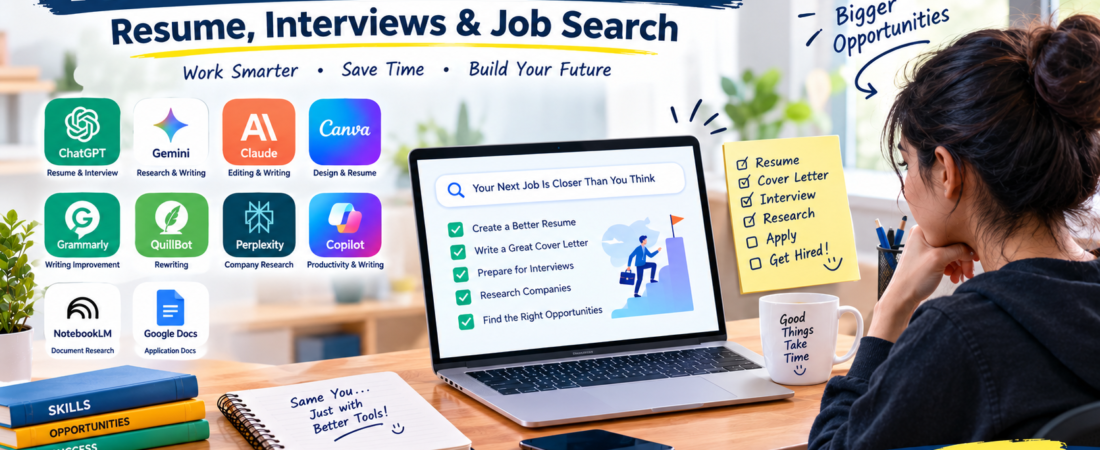
AI tools for job seekers can make the job-search process easier and more organized. These tools can help with resumes, cover letters, interview preparation, company research, and professional writing.
Finding a suitable job usually involves several steps. First, you may need to create a strong resume. Next, you might prepare a customized cover letter. Finally, interview practice can help you prepare for conversations with employers.
With the right approach, AI can support these tasks while you remain responsible for the final application.
Best AI Tools for Job Seekers
There are many AI-powered platforms available today. However, you don’t need to use all of them.
The following tools can help with different parts of the job-search process.
| Tool | Best For | Free Option |
|---|---|---|
| ChatGPT | Resume and interview help | Yes |
| Google Gemini | Research and writing | Yes |
| Claude | Writing and editing | Yes |
| Canva | Resume design | Yes |
| Grammarly | Writing improvement | Yes |
| QuillBot | Rewriting | Yes |
| Perplexity | Research | Yes |
| Microsoft Copilot | Writing and research | Yes |
| NotebookLM | Document research | Yes |
| Google Docs | Application documents | Yes |
Features and free-plan limits can change over time.
1. ChatGPT for Job Seekers
ChatGPT can assist with several common job-search tasks.
For example, you can use it to improve the wording of your existing resume, create a cover-letter draft, or practice interview questions.
It can also help you understand complicated job descriptions and identify the skills a position requires.
Useful tasks
- Resume improvement
- Cover-letter drafts
- Interview practice
- Job-description analysis
- Professional emails
- Career brainstorming
Always provide truthful information. In particular, don’t add qualifications or experience that you don’t actually have.
2. Google Gemini for Career Research
Google Gemini can help with research, writing, brainstorming, and learning.
For instance, you can use Gemini to understand a job description or research skills related to a particular career.
You can also use it to prepare questions before an interview.
Gemini can help with
- Career research
- Job-description analysis
- Writing
- Interview preparation
- Learning new topics
- Brainstorming
3. Claude for Resume Editing
Claude can be useful when you need help reviewing a longer document.
For example, you can provide your resume and ask for suggestions that improve clarity and organization.
Afterward, review the suggestions yourself and keep only changes that accurately represent your experience.
Best uses
- Resume editing
- Cover letters
- Professional writing
- Job-description analysis
- Interview preparation
4. Canva for Resume Design
A resume should be easy to read and understand.
Canva provides resume templates that can help you create a clean and professional document.
Instead of using excessive graphics, choose a simple design that makes your experience and skills easy to find.
Canva can help create
- Resumes
- Cover pages
- Portfolios
- Presentations
- Career documents
IMAGE 1
File name: ai-tools-for-job-seekers.webp
ALT text: AI tools for job seekers
Title: AI Tools for Job Seekers
Size: 1200 × 675 px
Place: After the Canva section.
5. Grammarly for Professional Writing
Grammarly can help improve written communication.
For example, you can use it to check grammar, spelling, sentence clarity, and other writing issues in professional documents.
This can be useful when preparing resumes, emails, and cover letters.
Grammarly can help with
- Grammar
- Spelling
- Sentence clarity
- Professional writing
- Cover letters
- Emails
6. QuillBot for Resume Rewriting
Sometimes your experience is useful, but the wording isn’t clear enough.
QuillBot can help rewrite sentences and provide alternative ways to express an idea.
However, make sure the rewritten version still accurately describes your real experience.
This is especially important when writing achievements or responsibilities on a resume.
7. Perplexity for Company Research
Research can be an important part of preparing for a job.
Perplexity can help you explore companies, industries, technologies, and career topics.
Before an interview, you could research the company’s products, services, industry, and recent developments.
Research ideas
- Company background
- Industry information
- Products and services
- Technologies
- Competitors
- Career topics
- Interview subjects
For important information, check the company’s official website as well.
8. Microsoft Copilot for Everyday Tasks
Microsoft Copilot can assist with writing, research, brainstorming, and everyday productivity.
For example, you could use it to draft a professional email or organize ideas for an application.
The available features can vary depending on the product and account.
9. NotebookLM for Learning
NotebookLM can be useful when you need to understand documents or study information.
For instance, you could use it with training material, notes, research documents, or other information related to your career preparation.
This can make it easier to organize information before an interview or learning session.
10. Google Docs for Job Applications
Google Docs can help you organize resumes, cover letters, and other application documents.
For example, you could maintain different resume versions for different types of positions.
You might have:
- Marketing resume
- Customer-support resume
- Technology resume
- General resume
This approach makes it easier to customize applications when necessary.
AI Tools for Resume Writing
A good resume should clearly communicate your real skills and experience.
First, create your basic resume with your education, experience, skills, projects, certifications, and achievements.
Then, compare your resume with the requirements of the job you’re interested in.
After that, use an AI tool to identify areas that could be clearer or more concise.
Finally, review every change yourself.
Your resume should always contain accurate information.
AI Tools for Cover Letters
A cover letter should be relevant to the position.
Instead of sending exactly the same letter to every employer, create a customized draft based on the specific role.
Give the AI information such as:
- Job title
- Company name
- Your actual experience
- Relevant skills
- Why you’re interested
Afterward, edit the draft so that it sounds natural and reflects your own experience.
IMAGE 2
File name: ai-tools-for-resume-writing.webp
ALT text: AI tools for resume writing
Title: AI Tools for Resume Writing
Size: 1200 × 675 px
Place: After the “AI Tools for Cover Letters” section.
AI Tools for Interview Preparation
Interview preparation is another useful area for AI.
For example, ask an AI assistant to generate questions for the exact position you’re applying for.
You could then practice answering those questions yourself.
Afterward, ask the AI to help identify areas where your answers could be clearer.
However, don’t memorize AI-generated answers word for word. Your answers should reflect your actual experience.
AI Tools for Career Research
Choosing a career direction can require research.
AI can help you explore different careers and understand the skills associated with them.
For example, you can research:
- Digital marketing
- Software development
- Graphic design
- Data analysis
- Content creation
- Customer support
- Project management
Once you have basic information, verify important details using reliable career resources and official company websites.
IMAGE 3
File name: ai-tools-for-interview-preparation.webp
ALT text: AI tools for interview preparation
Title: AI Tools for Interview Preparation
Size: 1200 × 675 px
Place: After the “AI Tools for Interview Preparation” section.
How to Choose AI Tools for Job Searching
You don’t need dozens of AI platforms.
Instead, start with the tasks that take the most time.
For resume help
ChatGPT, Claude, Grammarly, and Canva can be useful.
For research
Gemini and Perplexity can help you explore companies and career topics.
For interview practice
ChatGPT and other general-purpose AI assistants can generate practice questions.
For writing
Grammarly and QuillBot can help improve clarity.
Ultimately, a small collection of useful tools is often easier to manage than constantly switching between many platforms.
Are AI Tools Safe for Job Applications?
AI tools can be useful, but protecting personal information is important.
For example, avoid unnecessarily sharing:
- Passwords
- Banking information
- Government identification numbers
- Private account information
- Confidential documents
In addition, remember that AI can make mistakes.
Therefore, check important information before using it in an application.
Can AI Get You a Job?
AI cannot guarantee that you will get hired.
Instead, think of AI as a support tool that can help you research companies, improve writing, prepare for interviews, and organize your applications.
Your actual skills, qualifications, experience, and interview performance still matter.
Most importantly, keep your applications truthful and make sure they represent your real abilities.
Best AI Tools for Different Job Tasks
| Job Task | Useful Tool |
|---|---|
| Resume writing | ChatGPT |
| Resume design | Canva |
| Grammar checking | Grammarly |
| Rewriting | QuillBot |
| Company research | Perplexity |
| Interview practice | ChatGPT |
| Career research | Gemini |
| Document research | NotebookLM |
| Professional writing | Claude |
| General productivity | Microsoft Copilot |
Frequently Asked Questions About AI Tools for Job Seekers
What are the best AI tools for job seekers?
ChatGPT, Gemini, Claude, Canva, Grammarly, QuillBot, Perplexity, and NotebookLM can help with different parts of the job-search process.
Can AI create a resume?
Yes. AI can help create or improve a resume. However, you should always check the final version and make sure all information is accurate.
Can AI help with interview preparation?
Yes. AI can generate practice questions and help you structure your answers.
Can AI write a cover letter?
Yes. AI can create a starting draft based on your actual experience and the requirements of the position.
Should I use AI for every job application?
Not necessarily. Instead, focus on relevant positions and customize your application when appropriate.
Are free AI tools enough?
For many basic tasks, free AI tools can be sufficient. Paid plans may provide additional features or higher usage limits.
Conclusion
AI tools for job seekers can make the job-search process more organized and efficient.
From resume writing to interview preparation, these tools can support many everyday career tasks.
For example, ChatGPT can help with practice questions, Canva can help with resume design, while Grammarly can improve written communication.
However, AI should support your work rather than replace it.
Always verify important information, protect your personal data, and make sure your final application accurately represents your real skills and experience.
AI LINK
How to Choose the Best AI Tools for Your Needshttps://aiventaguide.com/how-to-choose-ai-tools/
12 Best AI Image Generatorshttps://aiventaguide.com/best-ai-image-generators/
AI Website link
- ChatGPT →
https://chatgpt.com/overview/ - Google Gemini →
https://gemini.google.com/ - Claude →
https://claude.ai/ - Canva →
https://www.canva.com/ - Grammarly →
https://www.grammarly.com/ - QuillBot →
https://quillbot.com/ - Perplexity →
https://www.perplexity.ai/ - Microsoft Copilot →
https://copilot.microsoft.com/ - NotebookLM →
https://notebooklm.google.com/
Affiliate Disclosure
Affiliate Disclosure: Some links on Aiventa Guide may be affiliate links. If you purchase a product through an eligible link, we may earn a commission at no additional cost to you. We only recommend tools that may be useful to our readers.