
Best AI Data Cleaning Tools for Better Data Quality
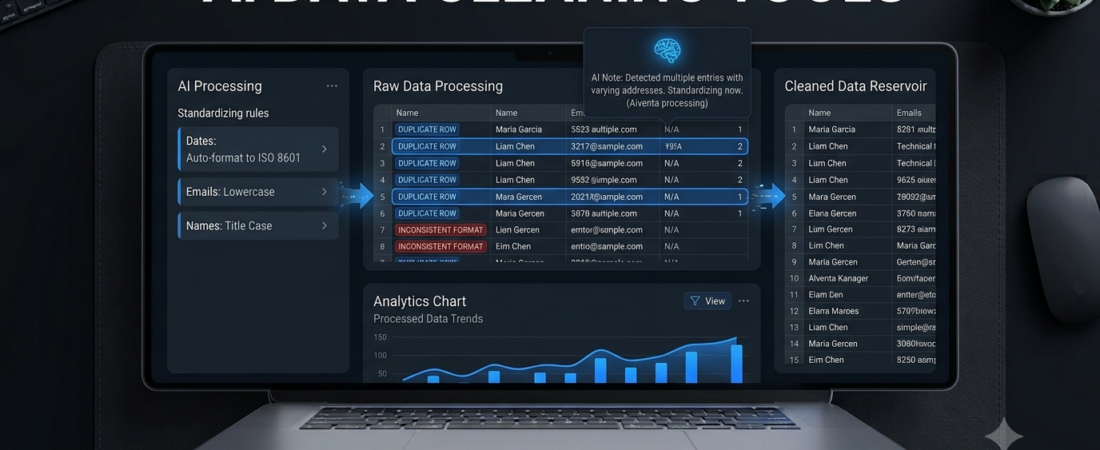
AI data cleaning tools help users find duplicate records, correct inconsistent values, identify missing information, and prepare datasets for analysis. Instead of fixing every problem manually, you can use data preparation software to simplify repetitive tasks and organize information more consistently.
For example, a business might store customer names in different formats, use inconsistent date styles, or maintain several records for the same customer. These problems can affect reports and business decisions. The right data cleaning tool can help identify such issues before the data moves into an analysis workflow.
However, not every platform serves the same purpose. Some tools focus on free, local data cleanup, while others support enterprise data pipelines and AI-assisted preparation.
In this guide, we compare five options and explain how to choose the right software for your needs.
What Are AI Data Cleaning Tools?
AI data cleaning tools are software applications that help identify and correct problems in datasets. Depending on the platform, they may use automation, pattern recognition, machine learning, or generative AI to assist with data preparation.
Common tasks include:
- Finding duplicate records.
- Standardizing names, dates, and text formats.
- Identifying missing or unusual values.
- Combining and transforming columns.
- Detecting inconsistent categories.
- Preparing data for reporting and machine learning.
For example, a spreadsheet might contain the values “United States,” “USA,” and “U.S.” in the same country column. A data cleaning workflow can help standardize these entries when they represent the same country.
Important: Automated suggestions should be reviewed before applying changes, especially when a dataset contains financial, customer, or business-critical information.
5 Best AI Data Cleaning Tools
1. OpenRefine — Best Free Tool for Messy Data
Best for: Students, researchers, journalists, and individuals working with spreadsheets or structured datasets.
OpenRefine is a free, open-source tool designed to clean and transform messy data. It is especially useful when a dataset contains inconsistent text, duplicate-looking categories, or information that needs restructuring.
Its clustering features can help identify similar values that may need to be merged. You can also transform columns, filter records, and review changes through the project history.
Key features:
- Clustering for identifying similar values.
- Data transformation and formatting.
- Filtering and faceting.
- Project history with undo and redo.
- Local data processing on your computer.
Pros:
- Free and open source.
- Useful for cleaning structured data.
- Gives users control over individual transformations.
Cons:
- The interface may take time to learn.
- It is not a fully managed enterprise AI data platform.
Verdict: OpenRefine is an excellent starting point if you need a free tool for cleaning messy spreadsheet data.
Website: https://openrefine.org/
2. Dataiku — Best for AI-Assisted Data Preparation
Best for: Data teams, analysts, and businesses managing complex data workflows.
Dataiku provides a broader environment for data preparation, analytics, and AI projects. Its data preparation features support cleansing, normalization, enrichment, and transformation through visual workflows or code.
The platform also offers generative AI assistance for describing data preparation tasks in natural language. Users can review the resulting steps, helping them understand what a workflow does before using it.
Key features:
- Visual data preparation workflows.
- AI-assisted transformation suggestions.
- Support for Python, R, and SQL.
- Data quality rules and lineage.
- Connections to multiple data sources.
Pros:
- Suitable for collaborative data projects.
- Supports both technical and nontechnical workflows.
- Helps document and track data transformations.
Cons:
- May be too complex for occasional spreadsheet cleanup.
- Pricing and available features depend on the plan and deployment.
Verdict: Consider Dataiku if you need repeatable data preparation workflows connected to wider analytics or AI projects.
Website: https://www.dataiku.com/product/data-preparation
3. Alteryx — Best for Repeatable Data Workflows
Best for: Analysts and business teams that regularly combine and prepare data from different sources.
Alteryx is a data analytics platform known for workflow-based data preparation and automation. Teams can use it to combine datasets, transform information, and create repeatable processes rather than manually repeating the same steps.
For example, an analyst who combines sales data from several files every week may use a workflow to standardize columns, join records, and prepare a consistent output.
Key capabilities:
- Visual workflow building.
- Data blending and transformation.
- Repeatable preparation processes.
- Integration with analytics workflows.
Pros:
- Useful for recurring data preparation tasks.
- Can reduce repetitive manual work.
- Suitable for multi-step workflows.
Cons:
- Licensing costs may not suit individuals or very small projects.
- Complex workflows can require training and maintenance.
Verdict: Alteryx is worth evaluating if your team repeatedly cleans and combines data from multiple sources.
Website: https://www.alteryx.com/
4. Microsoft Excel — Best for Everyday Spreadsheet Cleanup
Best for: Students, office workers, small businesses, and spreadsheet users.
Microsoft Excel remains a practical option for cleaning smaller datasets. Its built-in tools can remove duplicates, standardize formatting, split columns, filter records, and identify common data problems.
Power Query is particularly useful for importing, transforming, and refreshing data through repeatable steps. Specific AI-assisted features depend on your Microsoft subscription, version, and available integrations, so check your current plan.
Key features:
- Remove Duplicates.
- Find and Replace.
- Text and date transformations.
- Power Query data preparation.
- Filters and validation rules.
Pros:
- Familiar to many users.
- Useful for everyday data cleanup.
- Supports repeatable transformations with Power Query.
Cons:
- Some tasks require formulas or technical knowledge.
- Advanced capabilities may depend on your version and subscription.
Verdict: If your data is already in spreadsheets, start with Excel before paying for a specialized platform.
Website: https://www.microsoft.com/microsoft-365/excel
5. Google Sheets — Best for Collaborative Data Cleanup
Best for: Small teams, students, and users who need to clean shared spreadsheets.
Google Sheets offers spreadsheet functions, filters, data validation, and tools for identifying or removing duplicate records. Its collaboration features make it convenient for teams that need to review the same dataset.
Depending on your account and available features, Google’s AI capabilities may also help with supported spreadsheet tasks. However, not every data cleaning operation is automatically handled by AI.
Key features:
- Duplicate removal.
- Data validation.
- Filters and formulas.
- Shared editing and comments.
- Available AI-assisted spreadsheet features, depending on access.
Pros:
- Convenient for collaborative work.
- Accessible through a web browser.
- Useful for basic data preparation.
Cons:
- Very large or complex datasets may require specialized software.
- AI features and usage limits vary by account.
Verdict: Google Sheets is a practical choice for collaborative cleanup when your dataset is relatively simple.
Website: https://sheets.google.com/
AI Data Cleaning Tools Compared
| Tool | Best use | Cost approach |
|---|---|---|
| OpenRefine | Messy structured datasets | Free, open source |
| Dataiku | AI-assisted data workflows | Plan or deployment dependent |
| Alteryx | Repeatable analytics workflows | Commercial licensing |
| Microsoft Excel | Everyday spreadsheet cleanup | Version and plan dependent |
| Google Sheets | Collaborative spreadsheet cleanup | Free and paid options |
This is a use-case comparison, not a benchmark of cleaning accuracy or speed. Verify current features, pricing, and licensing on each provider’s official website.
How to Choose the Right Data Cleaning Software
1. Start With Your Dataset
Identify the main problem you want to solve. Are you dealing with duplicates, inconsistent categories, missing values, incorrect dates, or several files that need combining?
A clear problem makes it easier to select a suitable tool.
2. Match the Tool to Your Skill Level
If you are new to data preparation, start with Excel, Google Sheets, or OpenRefine. If you manage complex workflows across multiple systems, consider platforms such as Dataiku or Alteryx.
3. Check Automation and Repeatability
If you clean the same type of data every week, look for a tool that can save and repeat transformation steps. This can reduce repetitive work and make the process easier to review.
4. Review Privacy and Security
Before uploading data, check the provider’s privacy policy, access controls, and data retention settings. Remove unnecessary personal information and follow your organization’s rules when handling sensitive records.
5. Validate the Results
Never assume that every automated correction is accurate. A tool might incorrectly merge two different customers or replace a valid value with an unsuitable one.
Keep a backup of the original dataset and check important changes before using the cleaned data in reports.
For more ways to work with information, explore our guide to best AI research tools. If you run a small company, our guide to AI tools for small business may also help you find software for other business tasks.
How to Clean Data With AI: A Simple Workflow
You can use this general process with a suitable data preparation tool.
- Back up your original file. Keep an unchanged copy before making edits.
- Inspect the dataset. Check column names, missing values, duplicates, and inconsistent formats.
- Choose a cleaning tool. Match the software to your file type, budget, and technical experience.
- Standardize formats. Correct inconsistent dates, spaces, categories, and text formatting.
- Review possible duplicates. Confirm that similar records genuinely refer to the same item or person.
- Validate the cleaned data. Compare totals, sample records, and important values with the original.
- Export and document the results. Save the cleaned dataset and record significant transformations.
This workflow helps keep data preparation more transparent and reduces the risk of unnoticed errors.
Frequently Asked Questions
What are the best AI data cleaning tools?
OpenRefine is a strong free option for structured data cleanup. Dataiku and Alteryx suit more complex workflows, while Excel and Google Sheets are practical for everyday spreadsheet tasks.
Is there a free AI data cleaning tool?
OpenRefine is free and open source. Excel and Google Sheets also provide useful data cleaning features, although some capabilities depend on the product version or subscription.
Can AI automatically remove duplicate data?
Some tools can identify likely duplicates or help standardize similar values. However, similar-looking records are not always duplicates, so review the results before deleting information.
Can I clean data without coding?
Yes. OpenRefine, Excel, Google Sheets, and the visual preparation features in some enterprise platforms support many common cleanup tasks without requiring you to write code.
Why is data cleaning important for AI?
Poor-quality data can lead to unreliable reports and flawed model outputs. Cleaning helps improve consistency, but it does not guarantee that the dataset is complete, unbiased, or correct.
Conclusion
The best AI data cleaning tools depend on your dataset, budget, and workflow. OpenRefine is a good free starting point, Excel and Google Sheets handle many everyday spreadsheet tasks, and Dataiku or Alteryx may suit more complex business processes.
Start with one real dataset, identify its biggest problems, and test a small set of transformations. Review the results before applying changes to the full dataset.
Explore Aiventa Guide for more practical AI software comparisons and guides that help you choose tools based on your actual needs.