
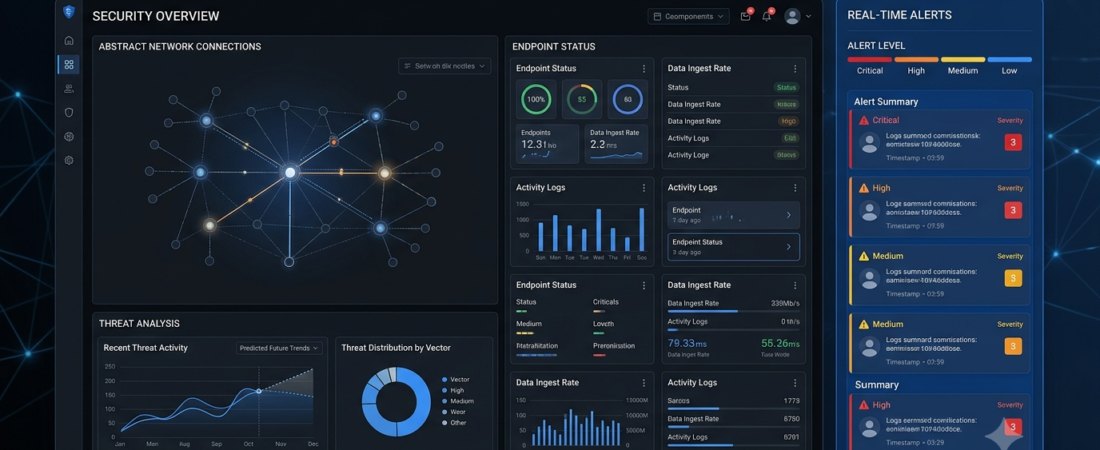
AI Security Tools: 7 Tools to Improve Cybersecurity
AI security tools help organizations analyze security signals, identify suspicious activity, and investigate potential cyber threats. As businesses rely on websites, cloud applications, and connected devices, monitoring security events manually becomes increasingly difficult.
AI-powered security software can help teams prioritize alerts, detect unusual behavior, and investigate incidents more efficiently. However, these tools do not eliminate cyber risks or replace good security practices.
In this guide, we explore seven cybersecurity platforms, compare their main uses, and explain how businesses can evaluate them for their needs.
What Are AI Security Tools?
AI security tools use artificial intelligence, machine learning, automation, or behavioral analysis to support cybersecurity tasks.
Depending on the product, they may help teams:
- Identify unusual activity across systems.
- Analyze security alerts and potential threats.
- Detect suspicious login patterns.
- Investigate endpoint or network events.
- Prioritize vulnerabilities and security incidents.
- Automate selected incident-response workflows.
Not every cybersecurity platform uses AI in the same way. Some specialize in endpoint protection, others focus on security information and event management (SIEM), and some help security teams investigate alerts across multiple systems.
7 AI Security Tools to Consider
1. Microsoft Security Copilot — AI-Assisted Security Analysis
Microsoft Security Copilot helps security professionals investigate threats and work with security information using AI-assisted workflows. Its capabilities can support investigation, analysis, and security operations in compatible environments.
Best for: Organizations using supported Microsoft security products.
Key benefits:
- Helps summarize security information.
- Supports investigation workflows.
- Can help analysts understand complex alerts.
- Fits into supported Microsoft security environments.
Potential limitation: Availability, integrations, and capabilities depend on licensing and the products an organization uses.
2. CrowdStrike Falcon — Endpoint Security
CrowdStrike Falcon is a cybersecurity platform focused on endpoint protection, detection, and response. Its capabilities help organizations monitor endpoints such as computers and servers for potential security threats.
Best for: Businesses that need endpoint monitoring and threat response.
Key benefits:
- Supports endpoint threat detection.
- Helps security teams investigate suspicious activity.
- Provides monitoring and response capabilities.
- Offers products for different security requirements.
Potential limitation: Organizations should evaluate deployment needs, licensing, system compatibility, and the features included in the selected package.
3. Darktrace — Network Threat Detection
Darktrace provides cybersecurity products that use AI and behavioral analysis to help identify unusual activity across supported digital environments.
Best for: Organizations that need visibility into network or connected-system behavior.
Key benefits:
- Analyzes activity patterns.
- Helps identify potentially unusual behavior.
- Supports security investigation.
- Offers capabilities across supported security environments.
Potential limitation: Unusual behavior does not always indicate an attack. Alerts require appropriate investigation and context.
4. SentinelOne — Endpoint Detection and Response
SentinelOne provides endpoint security and related detection and response capabilities. Its platform helps security teams monitor endpoint activity and investigate potential threats.
Best for: Organizations looking for endpoint detection and response capabilities.
Key benefits:
- Supports endpoint monitoring.
- Helps investigate security events.
- Provides response capabilities for supported incidents.
- Offers security tools for different organizational needs.
Potential limitation: Teams should verify feature availability, integrations, and the amount of hands-on administration required.
5. Palo Alto Networks Cortex XSIAM — Security Operations
Cortex XSIAM is designed to support security operations by bringing together security data, analytics, and automation capabilities.
Best for: Security operations teams managing complex environments.
Key benefits:
- Helps consolidate security information.
- Supports investigation and alert prioritization.
- Offers automation for selected security workflows.
- Can help teams coordinate incident handling.
Potential limitation: Deployment may require specialized expertise, integration planning, and a suitable security operations process.
6. Vectra AI — Network and Identity Threat Detection
Vectra AI focuses on detecting and investigating threats across supported network and identity environments. Its analytics can help security teams identify behavior that may require closer inspection.
Best for: Organizations needing network and identity threat visibility.
Key benefits:
- Helps identify suspicious behavioral patterns.
- Supports investigation workflows.
- Provides visibility into supported environments.
- Helps prioritize certain security signals.
Potential limitation: Coverage depends on the organization’s environment, integrations, and chosen product configuration.
7. Google Security Operations — Security Analytics and Investigation
Google Security Operations provides capabilities for security analytics, threat investigation, and security operations workflows. It can help teams work with security data from supported sources.
Best for: Organizations that need security analytics and incident investigation capabilities.
Key benefits:
- Supports security data analysis.
- Helps investigate potential threats.
- Provides tools for security operations workflows.
- Can integrate with supported data sources and services.
Potential limitation: Teams should evaluate data integration requirements, licensing, configuration, and the expertise needed to operate the platform.
AI Security Tools Compared
| Tool | Main focus | Best suited for |
|---|---|---|
| Microsoft Security Copilot | AI-assisted security analysis | Microsoft security environments |
| CrowdStrike Falcon | Endpoint security | Businesses monitoring endpoints |
| Darktrace | Behavioral threat detection | Network-focused security teams |
| SentinelOne | Endpoint detection and response | Organizations protecting endpoints |
| Cortex XSIAM | Security operations | Larger or complex environments |
| Vectra AI | Network and identity threat detection | Organizations needing threat visibility |
| Google Security Operations | Security analytics and investigation | Security operations teams |
This is a practical overview, not a universal ranking. Products differ in coverage, integrations, AI features, pricing, and operational requirements.
How AI Security Tools Help Businesses
1. Detect Unusual Activity
AI-assisted monitoring can identify activity that differs from expected patterns. For example, a security team might investigate an unusual sequence of logins or unexpected activity from a business system.
An alert is not proof of an attack, so analysts must examine the surrounding evidence.
2. Prioritize Security Alerts
Large environments can generate many alerts. Analytics and automation may help security teams prioritize events based on available signals and configured rules.
This can help analysts focus on the issues that need attention first.
3. Support Incident Investigation
AI assistants can summarize relevant security information and help analysts understand an incident’s timeline. Teams should independently verify important findings before making response decisions.
4. Improve Security Operations
Automation can support repeatable tasks such as gathering relevant information, routing alerts, or notifying the responsible team. Sensitive actions should have suitable permissions, testing, and approval controls.
For related automation ideas, explore our guide to AI automation tools.
How to Choose the Right AI Security Tools
Before choosing a platform, evaluate these factors.
1. Identify your security priorities. Decide whether your biggest need is endpoint protection, network monitoring, cloud security, identity monitoring, or incident investigation.
2. Review compatibility. Confirm that the tool supports your operating systems, cloud services, devices, and existing security products.
3. Evaluate alert quality. Test whether alerts provide useful context and whether your team can investigate them effectively.
4. Check response controls. Review permissions, approval requirements, audit logs, and options for limiting automated actions.
5. Compare total cost. Include licensing, deployment, storage, integrations, training, and ongoing administration.
6. Protect sensitive data. Understand what data the platform collects, where it is processed, and how access is controlled.
7. Plan human oversight. AI can support security decisions, but trained personnel remain important for validating findings and responding to incidents.
Common AI Cybersecurity Mistakes
AI can support cybersecurity, but relying on it without a clear process can create new risks.
- Assuming AI prevents every attack: No tool can guarantee complete protection.
- Ignoring basic security controls: Use multifactor authentication, software updates, backups, and least-privilege access.
- Treating every alert as a confirmed threat: Investigate alerts before making major changes.
- Automating sensitive actions without controls: Test response workflows and establish approval requirements.
- Skipping employee training: People still need to recognize suspicious messages and follow safe security procedures.
- Neglecting recovery planning: Maintain appropriate backups and an incident-response plan.
A layered security strategy is generally more resilient than relying on one product.
Frequently Asked Questions
What are AI security tools used for?
They help organizations analyze security data, detect suspicious activity, investigate alerts, monitor endpoints or networks, and automate selected security workflows.
Can AI security tools stop all cyberattacks?
No. AI can help detect and investigate certain threats, but attackers can still exploit weaknesses. Security tools should be combined with updates, access controls, backups, training, and incident-response planning.
Are AI security tools useful for small businesses?
They can be, but small businesses may start with managed endpoint protection, multifactor authentication, secure backups, and basic monitoring before investing in complex security operations platforms.
Do AI security tools replace cybersecurity professionals?
No. They can reduce repetitive work and assist with analysis, but professionals are still needed to validate findings, manage risk, and make important response decisions.
How should a business evaluate an AI security product?
Define the security problem, verify integrations, test alert quality, review data-handling practices, compare costs, and evaluate the controls available for automated actions.
Conclusion
AI security tools can help businesses monitor systems, investigate suspicious activity, and manage security alerts more efficiently. Microsoft Security Copilot supports AI-assisted analysis, while CrowdStrike Falcon and SentinelOne focus on endpoint security. Other platforms offer network threat detection or broader security operations capabilities.
The right choice depends on your existing environment, risks, budget, and security expertise. Start with your most important security gaps and use AI as one part of a layered cybersecurity strategy.
Explore Aiventa Guide for more practical AI software, productivity, and automation guides.
Useful Resources
- Official Microsoft Security Copilot website: https://www.microsoft.com/en-us/security/business/ai-machine-learning/microsoft-security-copilot
- Official CrowdStrike website: https://www.crowdstrike.com/