
Best AI Meeting Note Takers: 7 Tools to Record and Summarize Meetings
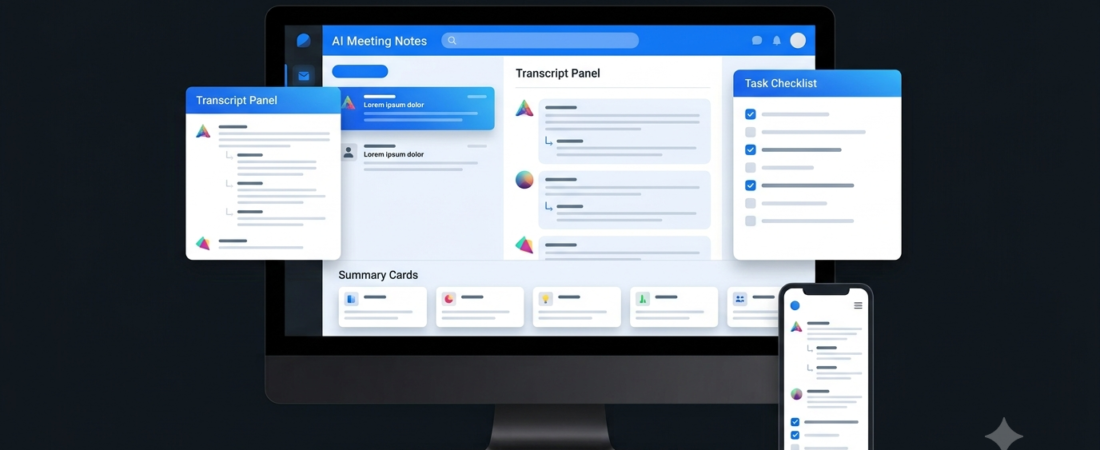
Best AI Meeting Note Takers can turn long conversations into organized notes, searchable transcripts, and lists of action items. Instead of trying to write everything down during a meeting, you can focus on the discussion and review the important details afterward.
However, different tools work in different ways. Some join online meetings as a visible participant, while others capture audio through a desktop application. Some focus on simple summaries, whereas others offer team collaboration and integrations.
In this guide, we compare seven AI meeting note takers and explain which option may suit your workflow.
What Is an AI Meeting Note Taker?
An AI meeting note taker is software that uses artificial intelligence to capture, transcribe, and summarize conversations.
Depending on the platform, it may identify speakers, highlight decisions, extract action items, and let you search previous meetings.
For example, after a project meeting, a tool might produce a summary of the main decisions, list tasks assigned to each person, and identify deadlines mentioned in the conversation.
Nevertheless, AI-generated notes can contain mistakes. Review important details before sharing notes or treating them as an official record.
Best AI Meeting Note Takers
Here are seven tools to consider for different meeting needs.
| Tool | Best For | Main Strength |
|---|---|---|
| Fathom | Individuals and teams | Meeting summaries and follow-ups |
| Fireflies.ai | Team meetings | Searchable conversations and integrations |
| Otter.ai | Live transcription | Real-time transcripts and summaries |
| Granola | Personal meeting notes | Notes without a visible meeting bot |
| tl;dv | Remote and sales teams | Meeting highlights and sharing |
| Fellow | Structured team meetings | Agendas, notes, and action items |
| MeetGeek | Meeting automation | Summaries and connected workflows |
Features, integrations, and plan limits may change. Check the official websites before choosing a subscription.
1. Fathom — Best for Meeting Summaries
Fathom is an AI meeting assistant designed to record supported meetings and produce summaries, transcripts, and useful follow-up information.
It can be helpful when you want to review a conversation without watching the entire recording again. This is particularly useful for client calls, team discussions, and project updates.
For example, after a customer call, you could review the summary and use the recorded conversation to verify important requirements.
Best for: Freelancers, professionals, and small teams.
Why choose it: You want an accessible way to capture meeting details and review key takeaways.
Limitation: Check supported meeting platforms, recording permissions, and current plan limits. You should also verify the summary before sending it to clients.
2. Fireflies.ai — Best for Team Meeting Workflows
Fireflies.ai offers meeting transcription, AI summaries, action items, and tools for searching conversations. Its Live Assist features can also provide live transcripts, notes, and AI-powered assistance during supported meetings. Official feature details.
This makes it worth considering for teams that need to retain information from recurring discussions or customer conversations.
For example, a sales team could use meeting records to review client requirements and prepare follow-up messages.
Best for: Business teams and professionals with frequent meetings.
Why choose it: You want searchable meeting records and features that support follow-up workflows.
Limitation: Some capabilities depend on your plan and setup. Review recording permissions, integrations, and data-retention settings before connecting business accounts.
3. Otter.ai — Best for Live Transcription
Otter.ai focuses on meeting transcription, summaries, and searchable conversation records. Its supported workflows include live transcripts and AI-generated meeting notes.
This can help when you need to follow a discussion closely or revisit a particular statement afterward.
For instance, a student attending an online lecture or a professional joining a project review may find a searchable transcript useful for reviewing important points.
Best for: Users who prioritize transcripts and conversation search.
Why choose it: You want a written record that you can review after a meeting.
Limitation: Transcription accuracy depends on audio quality, accents, overlapping speakers, and technical terminology. Check the current transcription limits and supported languages.
4. Granola — Best for Personal Meeting Notes
Granola takes a different approach to meeting notes. It is designed to capture meeting audio from your device and combine the transcript with your own notes, rather than relying on a visible meeting bot in the call.
This approach may suit people who prefer to take brief notes themselves and then use AI to organize the information.
For example, a consultant could jot down a few important ideas during a discussion and use the resulting notes to build a clearer summary.
Best for: Consultants, founders, and people who prefer personal note-taking workflows.
Why choose it: You want AI-assisted notes without adding a visible bot to the meeting.
Limitation: Confirm operating-system compatibility and recording behavior before using it. Capturing audio without a visible bot does not remove the need to respect participants’ consent and applicable recording rules.
5. tl;dv — Best for Remote and Sales Teams
tl;dv provides meeting recording, transcripts, summaries, and tools for sharing important moments from conversations.
It can be useful when a team needs to revisit specific parts of a meeting rather than asking everyone to watch a complete recording.
For example, a sales manager might share a relevant section of a customer conversation with a colleague who could not attend.
Best for: Remote teams, sales professionals, and customer-facing teams.
Why choose it: You want to turn meetings into useful records that are easier to share and revisit.
Limitation: Check which meeting platforms and integrations are supported by your chosen plan. Review sharing permissions before distributing recordings.
6. Fellow — Best for Structured Team Meetings
Fellow combines AI meeting notes with meeting agendas, action items, and follow-up workflows. Its meeting tools are designed to help teams organize discussions and keep track of decisions. Official meeting notes overview.
This can be valuable when a team wants more than a transcript. A structured workflow helps participants prepare for meetings and identify responsibilities afterward.
Best for: Managers, project teams, and organizations with recurring meetings.
Why choose it: You want to connect meeting notes with planning and follow-up tasks.
Limitation: A structured meeting platform may be more than an individual user needs. Compare the available plans and team-management features before adopting it.
7. MeetGeek — Best for Meeting Automation
MeetGeek combines meeting recording, transcription, summaries, sharing, and workflow automation. Its official platform supports meeting capture for services including Zoom, Google Meet, and Microsoft Teams. Official product overview.
It is worth considering if you want meeting information to support a wider business workflow instead of remaining in a standalone notes application.
For example, a team might use meeting summaries as a starting point for follow-up tasks and shared project records.
Best for: Teams that want meeting documentation and connected workflows.
Why choose it: You want meeting notes alongside tools for organizing and sharing information.
Limitation: Integrations and automation options vary. Confirm compatibility with your existing software before connecting business systems.
AI Meeting Note Takers Comparison
| Tool | Main Use | Consider It If |
|---|---|---|
| Fathom | Summaries and follow-ups | You want accessible meeting reviews |
| Fireflies.ai | Searchable meeting records | Your team has frequent calls |
| Otter.ai | Live transcription | You need written transcripts |
| Granola | Personal note-taking | You prefer a bot-free capture approach |
| tl;dv | Sharing meeting highlights | You work with remote or sales teams |
| Fellow | Structured meetings | Your team tracks agendas and actions |
| MeetGeek | Connected workflows | You want to automate meeting follow-ups |
These are use-case recommendations, not results from a controlled performance test.
What Can AI Meeting Note Takers Do?
Transcribe Conversations
Some tools convert spoken words into text. This gives you a record to search and review later, although transcription errors are possible.
Summarize Long Meetings
AI can organize a long discussion into key topics, decisions, and important points. As a result, you may spend less time reviewing recordings.
Extract Action Items
Certain tools identify tasks and potential next steps from a conversation. However, verify each task, owner, and deadline before sharing the final list.
Make Previous Meetings Easier to Search
Searchable transcripts and meeting libraries can help teams find earlier decisions without replaying entire recordings.
For more ways to improve your daily workflow, explore our guides to AI Productivity Tools and AI Automation Tools.
How to Choose the Best AI Meeting Note Taker
Before selecting a tool, consider these five factors.
1. Check Your Meeting Platform
Confirm that the tool works with your existing meeting software. If you already pay for a platform with built-in AI notes, compare those features before buying another subscription.
2. Decide How You Want to Capture Meetings
Some tools join calls as a visible bot. Others use a desktop application or a different recording method. Choose a workflow that participants understand and that complies with applicable consent rules.
3. Compare Languages and Transcript Quality
If meetings involve multiple accents, languages, or technical terms, test the tool using representative audio. Do not assume every tool performs equally well in every language.
4. Review Privacy and Security
Meeting recordings may contain confidential business information or personal details. Review storage, retention, sharing controls, access permissions, and the provider’s AI data-use policies.
5. Check the Total Cost
Compare plan limits, recording allowances, integrations, and collaboration features. A basic tool may be sufficient for occasional meetings, while larger teams may need administrative controls.
Are AI Meeting Note Takers Worth It?
They can be useful if you regularly attend long meetings or need to track decisions and follow-up tasks.
However, the value depends on your workflow. If you attend only a few short meetings, manually written notes may be enough. Likewise, AI-generated summaries still need human review.
Start with one tool and test it on an ordinary meeting. Check whether the notes accurately reflect what happened and whether they save you time after the call.
Frequently Asked Questions
What is the best AI meeting note taker?
The best option depends on your needs. Fathom is worth exploring for summaries, Otter for live transcription, Fireflies for searchable team records, and Fellow for structured meeting workflows.
Are AI meeting note takers free?
Some providers offer free plans or trial options, but limits can apply to recordings, summaries, storage, or integrations. Check current pricing before signing up.
Can AI meeting tools work with Zoom and Google Meet?
Several tools support popular meeting platforms, but compatibility varies. Check the provider’s current integration list for your specific account and plan.
Can AI create meeting minutes automatically?
Yes, supported tools can generate draft meeting minutes, summaries, and action items. Review them for accuracy before treating them as an official record.
Is it safe to record meetings with AI?
It depends on the tool, its settings, and how the recording is handled. Inform participants, obtain required consent, and review privacy and retention policies before recording.
Our Recommendation
If you mainly need summaries, start by comparing Fathom and Fireflies.ai. For live transcription, investigate Otter.ai. If you prefer a personal note-taking approach without a visible meeting bot, consider Granola.
Meanwhile, Fellow is worth exploring for structured team meetings, while tl;dv and MeetGeek may suit teams that want sharing and connected workflows.
Final Thoughts
The best AI meeting note takers help turn conversations into information you can actually use. They can make transcripts easier to search, summarize important decisions, and organize follow-up work.
Before choosing one, identify your main requirement, test the recording experience, and review privacy settings. Most importantly, verify important notes before sharing them or relying on them for decisions.