
What Are AI Email Assistants?
AI email assistants are tools that use artificial intelligence to help people manage their inboxes.
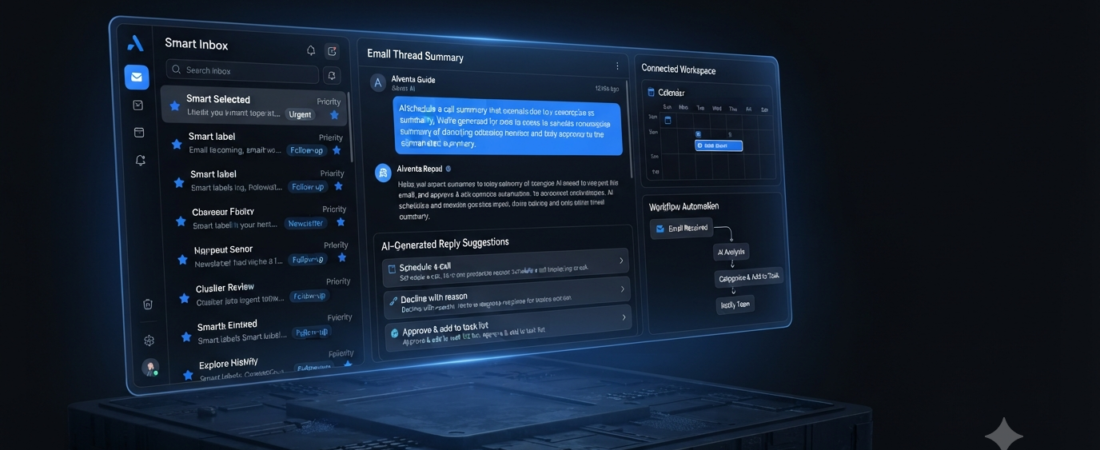
Instead of reading every message manually, users can ask AI to summarize conversations, draft replies, find information, organize messages, or highlight important emails.
For example, an AI assistant can turn a long email thread into a short summary. It can also create a reply based on the conversation and your instructions.
Moreover, some newer tools can connect email with calendars, tasks, and other business workflows.
The category has grown beyond simple AI writing. Current email assistants now focus on inbox organization, search, drafting, follow-ups, and workflow automation.
Best AI Email Assistants
There is no single tool that works best for everyone.
Some users want faster email writing. Others need better inbox organization or powerful AI search.
Therefore, the best choice depends on your email provider, workflow, and the tasks you want to automate.
Here are seven strong options to consider.
1. Superhuman — Best for Email Productivity
Superhuman is an AI-focused email application designed for people who spend a lot of time inside their inbox.
The platform emphasizes speed, keyboard shortcuts, organization, and AI-assisted writing.
Users can work through messages quickly while using AI features to draft replies and summarize conversations.
Best for: Professionals and power users.
Key features:
- AI-assisted email writing
- Thread summaries
- Fast inbox navigation
- Follow-up management
- Gmail and Outlook support
For people who treat email as a major part of their daily workflow, Superhuman can provide a more focused experience.
2. Shortwave — Best AI Email Assistant for Gmail
Shortwave is an AI-focused email application built around Gmail.
Its AI features can help users search their inbox using natural language, summarize conversations, organize messages, and create replies.
For instance, instead of searching through multiple messages manually, you can use natural-language queries to find information from your inbox.
Furthermore, Shortwave focuses heavily on AI-powered organization and workflow automation. Recent comparisons have highlighted its AI search and drafting capabilities.
Best for: Gmail users who want an AI-first inbox.
Key features:
- AI email search
- Email summaries
- AI drafting
- Inbox organization
- Workflow automation
3. Gemini in Gmail — Best Built-In AI Email Assistant
If you already use Gmail, Gemini can be one of the simplest options to try.
Rather than moving to a separate email application, users can access AI features within Google’s ecosystem.
Gemini can help with tasks such as drafting emails, summarizing conversations, and finding useful information within supported Google Workspace contexts.
That makes it particularly convenient for people who already use Gmail regularly.
Best for: Gmail and Google Workspace users.
Key features:
- Email drafting
- Thread summaries
- AI-assisted search
- Google Workspace integration
- Context-aware assistance
Most importantly, starting with an AI feature already available in your existing email system can be easier than moving to a completely new platform.
4. Microsoft Copilot — Best for Outlook Users
Microsoft Copilot is a natural option for people who already work inside Microsoft 365.
The assistant can help with email drafting, summarization, and other productivity tasks across Microsoft’s ecosystem.
Because Outlook, Teams, Word, and other Microsoft products can work together, Copilot can be particularly useful for business users.
Best for: Microsoft 365 and Outlook users.
Key features:
- Email summaries
- Draft assistance
- Tone suggestions
- Microsoft 365 integration
- Productivity assistance
Consequently, businesses already using Microsoft 365 may not need a separate AI email application for basic tasks.
5. Fyxer — Best for Inbox Organization
Fyxer takes a different approach to email assistance.
The platform focuses on organizing inboxes, preparing drafts, and helping users stay on top of conversations.
For people who receive many emails and frequently need to follow up, this type of assistant can reduce repetitive work.
Best for: Professionals who want inbox organization and AI-generated drafts.
Key features:
- Inbox organization
- AI email drafts
- Follow-up assistance
- Gmail support
- Outlook support
In addition, Fyxer is designed to work across Gmail and Outlook, which can make it attractive for users who work with different email platforms.
6. SaneBox — Best for Reducing Inbox Noise
SaneBox focuses more on inbox organization than AI-generated writing.
The service can help separate less important messages from emails that need your attention.
As a result, you can spend less time sorting through newsletters, notifications, and other lower-priority messages.
Best for: People who mainly want a cleaner inbox.
Key features:
- Email filtering
- Inbox organization
- Smart sorting
- Notification management
- Reduced email distractions
Therefore, SaneBox can be a better choice if your biggest problem is email overload rather than writing replies.
7. Lindy — Best for Email Workflow Automation
Lindy goes beyond simple email assistance by focusing on AI-powered workflows.
For example, an AI assistant can connect email tasks with calendars, CRM systems, and other applications.
This approach can be useful when you want email to trigger actions instead of simply generating a response.
Best for: Users who want advanced email automation.
Key features:
- Email workflows
- AI agents
- Follow-up automation
- Calendar connections
- Business integrations
However, advanced automation should be introduced carefully. Important emails still deserve human review before an AI system takes significant action.
Best AI Email Assistants Compared
| AI Email Assistant | Best For | Main Strength |
|---|---|---|
| Superhuman | Power users | Speed and productivity |
| Shortwave | Gmail users | AI search and organization |
| Gemini in Gmail | Gmail users | Built-in AI features |
| Microsoft Copilot | Outlook users | Microsoft 365 integration |
| Fyxer | Professionals | Inbox organization |
| SaneBox | Inbox cleanup | Filtering and sorting |
| Lindy | Automation | AI workflows |
The comparison shows an important difference.
For example, Superhuman focuses on speed, while Shortwave puts more emphasis on AI-powered inbox management. Meanwhile, Gemini and Copilot are convenient because they already fit into popular email ecosystems.
What Can AI Email Assistants Do?
AI email assistants can handle several repetitive tasks.
Summarize Long Emails
Long email threads can take several minutes to understand.
An AI assistant can provide a shorter summary containing the main points, decisions, and requested actions.
Therefore, users can understand the conversation faster without reading every message from the beginning.
Draft Email Replies
Writing repetitive emails can also consume a lot of time.
AI can create a first draft based on the conversation and your instructions.
However, reviewing the draft before sending it remains important.
Find Information
Modern AI email search can understand natural-language questions.
For example, you may want to find an email containing a specific document, date, request, or conversation.
Instead of remembering the exact subject line, you can describe what you are looking for.
Organize the Inbox
Some assistants can help sort emails according to importance or type.
As a result, newsletters and less urgent messages can receive less attention while important conversations remain visible.
Manage Follow-Ups
Another useful feature is follow-up management.
An assistant can help identify conversations that need a response or remind you about messages that have not received a reply.
Consequently, fewer tasks can disappear inside a busy inbox.
AI Email Assistants for Gmail
Gmail users have several choices.
Gemini in Gmail is the simplest starting point because it works inside Google’s ecosystem.
For a more AI-first email experience, Shortwave can be attractive.
On the other hand, Fyxer may be useful when inbox organization and AI-generated drafts are the main priorities.
Therefore, Gmail users should first decide whether they want built-in assistance or a dedicated AI email application.
AI Email Assistants for Outlook
Outlook users also have multiple options.
Microsoft Copilot is the most natural choice for people already using Microsoft 365.
Meanwhile, Superhuman can appeal to users who want a dedicated productivity-focused email client.
Fyxer is another option for people who want AI organization and drafting across Gmail and Outlook.
As a result, the best choice depends on whether you want deeper Microsoft integration or a dedicated email workflow.
Are AI Email Assistants Safe?
Email contains private and sometimes sensitive information.
Because of that, privacy should be considered before connecting an AI assistant to your inbox.
First, check what permissions the application requests.
Next, review how the provider handles your email data and whether it uses that information for model training.
Also, look at account security, data retention, administrative controls, and human review options.
Finally, avoid giving an AI assistant permission to automatically send important messages unless you fully understand how its automation works.
Current comparisons of AI email assistants also emphasize permissions, data handling, and human oversight as important factors.
How to Choose the Best AI Email Assistant
Start by identifying your biggest email problem.
If you need faster navigation and productivity, Superhuman may be a good fit.
For Gmail-focused AI search, Shortwave is worth considering.
If you already use Google Workspace, Gemini in Gmail can be the easiest starting point.
Likewise, Microsoft Copilot makes sense for people already working heavily inside Outlook and Microsoft 365.
For inbox organization, Fyxer or SaneBox may be more appropriate.
Finally, users who want advanced workflow automation can explore Lindy.
In other words, choose the assistant according to your workflow rather than simply choosing the tool with the longest feature list.
Tips for Using AI Email Assistants
Start with low-risk tasks.
For example, let AI summarize conversations or prepare draft replies before giving it permission to perform more advanced actions.
Next, review generated emails for names, dates, numbers, attachments, and other important details.
Furthermore, create clear rules for automated workflows.
Keep human approval in the loop for sensitive or important communications.
Over time, you can expand automation after confirming that the assistant consistently produces useful results.
Frequently Asked Questions
What is the best AI email assistant?
There is no universal winner. Superhuman is strong for productivity, Shortwave is focused on AI-first Gmail workflows, while Gemini and Copilot are convenient choices for users already inside Google or Microsoft ecosystems.
What is the best AI email assistant for Gmail?
Gemini in Gmail is the easiest built-in option. However, Shortwave can be a strong alternative for users who want a more AI-focused email experience.
What is the best AI email assistant for Outlook?
Microsoft Copilot is a natural choice for Outlook and Microsoft 365 users. Superhuman and Fyxer are other options depending on your preferred workflow.
Can AI write email replies?
Yes. Many AI email assistants can generate draft replies based on the message and instructions you provide.
Can AI organize my inbox?
Yes. Some AI email assistants can categorize, prioritize, summarize, or filter messages.
Should AI send emails automatically?
For important communications, human review is usually the safer approach. Automated sending should only be enabled when you understand the workflow and its limitations.
Our Recommendation
For most people, the best starting point is the AI already available inside their email platform.
Gmail users: Start with Gemini in Gmail.
AI-first Gmail users: Consider Shortwave.
Microsoft 365 users: Start with Copilot.
Productivity-focused users: Consider Superhuman.
Inbox organization: Consider Fyxer or SaneBox.
Advanced automation: Explore Lindy.
This approach keeps the decision simple.
Rather than changing your entire email system immediately, start with the smallest tool that solves your biggest problem.
Final Thoughts
The best AI email assistants are becoming more than simple writing tools.
Today, they can summarize conversations, draft replies, search through messages, organize inboxes, and connect email with other workflows.
At the same time, every assistant has different strengths.
Gmail users may prefer Gemini or Shortwave. Outlook users can benefit from Copilot, while productivity-focused users may prefer Superhuman.
Meanwhile, Fyxer, SaneBox, and Lindy offer different approaches to inbox organization and automation.
Therefore, the best choice is not necessarily the most advanced AI email tool.
Instead, choose the one that fits your email provider, your workflow, and the amount of automation you actually need.
Start small, review AI-generated content carefully, and expand automation only when you are comfortable with the results.
Affiliate Disclosure
Some links on Aiventa Guide may be affiliate links. If you purchase a product through an affiliate link, we may earn a commission at no additional cost to you. We only recommend tools that are relevant to the topic and useful to our readers.