
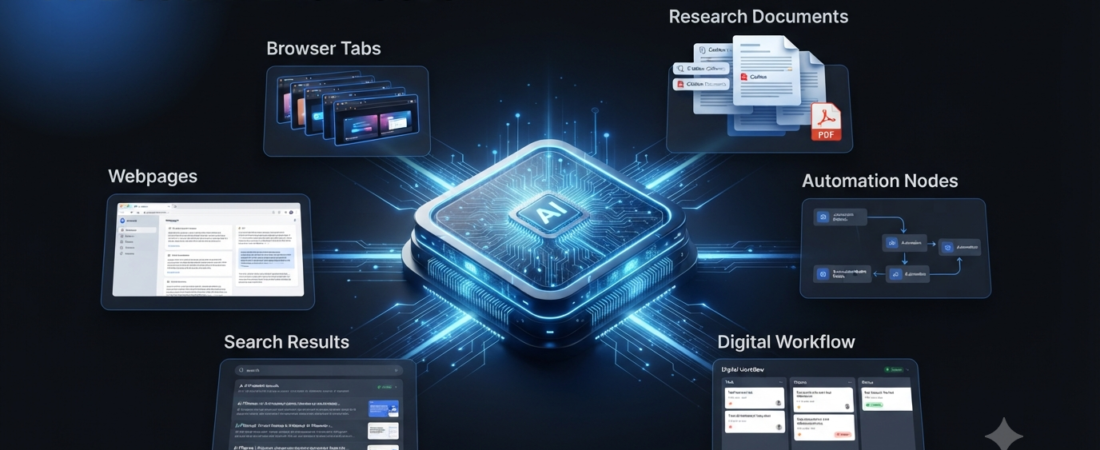
Web browsers are changing quickly. For years, a browser mainly helped you open websites, search Google, watch videos, and manage tabs. Now, artificial intelligence is becoming part of the browsing experience itself.
Modern AI browsers can summarize webpages, answer questions about what you are reading, compare information across tabs, and in some cases help complete multi-step tasks.
That shift makes AI browsers useful for research, studying, productivity, shopping research, writing, and everyday browsing. However, each browser takes a different approach to AI.
In this guide, we’ll look at the best AI browsers, what makes them different, and which type of user may benefit most from each option.
What Is an AI Browser?
An AI browser is a web browser that includes artificial intelligence features directly inside the browsing experience.
A traditional browser mainly lets you navigate websites. An AI browser can add another layer that understands webpage content and helps you work with it.
For example, an AI browser might help you:
- Summarize a long webpage
- Compare information across multiple tabs
- Answer questions about a website
- Find information faster
- Organize research
- Write or rewrite text
- Perform certain browser tasks
- Use AI without opening a separate chatbot
The category is developing quickly. Google has been adding Gemini and agentic capabilities to Chrome, while AI-first browsers such as Perplexity Comet are designed around AI-assisted browsing.
Best AI Browsers
Here are some of the leading AI browser options worth knowing about.
| AI Browser | Best For | AI Strength |
|---|---|---|
| Google Chrome + Gemini | Everyday browsing | AI inside Chrome |
| Perplexity Comet | AI-first browsing | Research and assistance |
| Microsoft Edge + Copilot | Productivity | AI and Microsoft integration |
| Brave + Leo | Privacy-focused users | AI assistance |
| Dia | AI-powered workflows | Contextual browsing |
| Opera | Built-in AI features | AI-assisted browsing |
| Arc | Organized browsing | AI-powered workflow features |
1. Google Chrome + Gemini
Google Chrome remains one of the most widely used browsers, and Google is adding more AI capabilities directly into it.
Gemini in Chrome can help users understand webpages, work with information across tabs, and interact with content using natural-language requests.
Google has also introduced agentic browsing capabilities that can handle more complex, multi-step tasks for eligible users.
That makes Chrome particularly interesting because users do not necessarily need to move to a completely new browser to get AI features.
Best for: Everyday browsing, Google users, research, and people who want AI inside a familiar browser.
2. Perplexity Comet
Perplexity Comet takes a more AI-first approach.
Instead of adding AI to a traditional browser, Comet is designed around the idea that your browser can become an intelligent assistant.
It can help with research, webpage understanding, summaries, and browser-based tasks.
That makes it particularly interesting for people who spend a lot of time researching information online.
Best for: Research, AI-assisted browsing, productivity, and people who want a more agentic browser experience.
If you are interested in research-focused AI tools, you can also read our guide to best AI research tools.
3. Microsoft Edge + Copilot
Microsoft Edge combines traditional browsing with Microsoft’s Copilot AI features.
The combination can be useful for people who already work with Microsoft services and Windows.
Edge can help users summarize content, answer questions, and work with information while browsing. As AI becomes more integrated into productivity software, the browser can also become part of a broader work workflow.
Best for: Windows users, Microsoft 365 users, productivity, and workplace browsing.
4. Brave + Leo
Brave is known for its privacy-focused browser experience, while Leo adds AI assistance directly into the browser.
Users can use Leo for tasks such as summarizing webpages, answering questions, and working with content without needing to copy everything into a separate AI chatbot.
The combination is appealing if you want AI features while still paying attention to privacy and control.
Best for: Privacy-conscious users, webpage summaries, and AI-assisted browsing.
5. Dia
Dia is built around the idea of making the browser itself more intelligent.
Instead of treating AI as a separate chatbot, the browser can use the context of what you are doing online to help with tasks.
That type of design can be useful for research, writing, organizing information, and working across multiple webpages.
AI browsers like Dia show how the traditional browser interface could evolve into something closer to an AI workspace.
Best for: AI-first workflows, research, writing, and contextual assistance.
6. Opera
Opera has been integrating AI features into its browser experience as well.
Its AI capabilities can help users interact with webpages and information without always switching to another application.
Opera can therefore be a practical choice for users who want built-in AI features but still want a conventional browser interface.
Best for: Everyday browsing, built-in AI tools, and users looking for an alternative to Chrome.
7. Arc
Arc introduced a different approach to browsing by focusing heavily on organization and workspace-style browsing.
Its design treats tabs and browsing sessions differently from conventional browsers. AI-powered features can make that workflow even more useful for people who manage large amounts of online information.
For users who frequently work with multiple projects, websites, and research sources, this style can be easier to manage than a traditional browser.
Best for: Organized browsing, research workflows, and users who manage many tabs.
AI Browser vs Traditional Browser
The biggest difference is not simply that one browser has a chatbot.
An AI browser tries to understand what you are doing and reduce the number of manual steps required.
For example, imagine that you are researching laptops.
With a traditional browser, you might open several websites, compare specifications, copy information into notes, and create your own comparison.
With an AI browser, you may be able to ask the browser to summarize the pages or compare information across tabs.
That does not mean traditional browsers are obsolete. Instead, AI is becoming another layer on top of normal browsing.
Why Are AI Browsers Becoming Popular?
There are several reasons behind this shift.
Less Tab Switching
AI can reduce the need to constantly move between a webpage and a separate chatbot.
Faster Research
An AI assistant can summarize information instead of making you read every page immediately.
Better Context
A browser already knows which page or tabs you are working with. AI can use that context to provide more relevant assistance.
More Automation
Newer browser agents can go beyond answering questions and perform certain multi-step actions.
The wider AI-agent market is also moving toward systems that can interact with websites and software rather than simply generating text. Recent industry data shows strong growth in AI-agent web activity during 2026.
Are AI Browsers Safe?
AI browsers introduce useful features, but they also require careful use.
A browser can contain sensitive information such as logged-in accounts, saved sessions, personal documents, and other private data. Giving an AI system permission to interact with webpages can therefore create additional risks.
Another concern is prompt injection. A webpage may contain instructions designed to influence an AI agent rather than a human reader.
For that reason, you should be careful when allowing an AI browser to take actions on your behalf.
For everyday research and summaries, AI browsing can be useful. However, important actions should still receive human review.
AI Browsers for Students
Students can use AI browsers for research and learning.
For example, an AI browser can help summarize a long article, explain difficult information, compare sources, or organize research notes.
However, students should still check original sources and follow their school’s or college’s rules regarding AI use.
If you’re studying, check our guides to AI tools for students and AI tools for studying.
AI Browsers for Research
Researchers and content creators can benefit from AI browsers because online research often involves many tabs.
Instead of manually switching between every source, an AI browser can help organize and summarize information.
For example, you could research a topic across several websites and then ask the browser to identify the main differences between the sources.
Still, source verification remains important. AI-generated summaries can sometimes leave out context or misunderstand information. Recent research and reporting on AI-powered browsers also highlight the importance of checking original content rather than blindly accepting summaries.
Which AI Browser Should You Choose?
The best choice depends on your workflow.
Choose Chrome + Gemini if you want AI features inside a familiar browser.
Choose Perplexity Comet if research and AI-first browsing are your main priorities.
Choose Edge + Copilot if you already use Windows and Microsoft services.
Choose Brave + Leo if privacy is an important consideration.
Choose Dia if you want a browser designed around AI-assisted workflows.
Choose Opera if you want built-in AI features with a traditional browser experience.
Choose Arc if organizing your browsing workspace matters more than simply having another search interface.
How AI Browsers Could Change the Web
The browser may eventually become more than a tool for opening websites.
Instead, users could describe a goal and let an AI assistant handle several browsing steps.
For example:
Goal → Research → Compare → Organize → Act
Google is already moving toward this model with Search agents and agentic capabilities that can work across information and perform more complex tasks.
However, humans will still need to decide what an AI should access and which actions require approval.
The future of browsing is therefore likely to combine traditional navigation with AI assistance rather than completely eliminate human control.
Frequently Asked Questions
What is the best AI browser?
There is no single best AI browser for everyone. Chrome with Gemini is a strong choice for everyday browsing, while Perplexity Comet is designed more heavily around AI-assisted research and browsing.
Is Perplexity Comet an AI browser?
Yes. Comet is an AI-focused browser designed to combine normal web browsing with AI assistance and agentic capabilities.
Does Chrome have AI features?
Yes. Google has integrated Gemini-related capabilities into Chrome and continues to expand AI and agentic browsing features. Availability can depend on the user’s device, region, and plan.
Can AI browsers browse websites for you?
Some AI browsers and browser agents can perform multi-step browsing tasks. However, capabilities and availability vary, and users should review important actions before allowing an AI system to complete them.
Are AI browsers free?
Many AI browsers offer free access to some features. Advanced AI or agentic capabilities may require a paid plan or have usage limits.
Are AI browsers better than Chrome?
Not necessarily. Chrome remains a strong general-purpose browser, while newer AI browsers may provide more AI-focused workflows. The better option depends on how you use the web.
Final Thoughts
The best AI browsers are changing what people expect from web browsing.
Instead of simply opening websites, browsers can now help summarize information, understand pages, organize research, and perform increasingly complex tasks.
Chrome, Comet, Edge, Brave, Dia, Opera, and Arc each approach AI browsing differently. Therefore, the right choice depends on whether you care most about research, productivity, privacy, organization, or compatibility.
Most importantly, AI browsers should assist your decisions rather than make important decisions without review.
The browser is becoming more intelligent, but human control still matters.
Affiliate Disclosure
Some links on Aiventa Guide may be affiliate links. If you purchase a product or service through an eligible link, we may earn a commission at no additional cost to you. We only recommend tools that we believe can provide genuine value.