
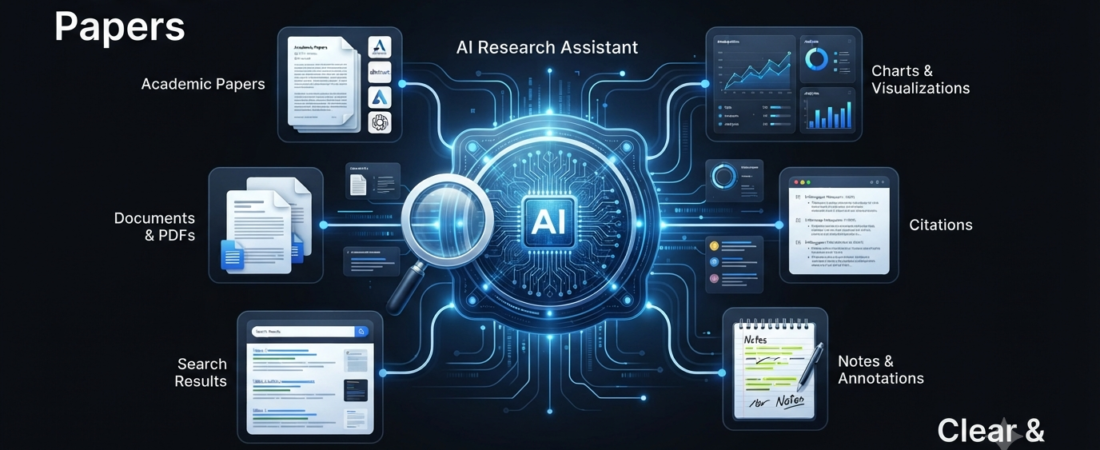
Research can take hours when you have to search through websites, papers, reports, PDFs, and multiple sources. Fortunately, AI research tools can now help you find information, summarize sources, compare ideas, and organize your research much faster.
Instead of opening dozens of tabs, you can use an AI research assistant to collect information and create a starting point for your work. Some tools focus on web research, while others work better with academic papers or your own documents.
For example, Perplexity is widely used for fast, cited web research, while NotebookLM focuses on answering questions from documents you provide. Elicit and Consensus are more focused on academic and scientific research.
In this guide, we will compare the best AI research tools and explain which one makes sense for students, writers, researchers, creators, and professionals.
What Are AI Research Tools?
AI research tools are software applications that use artificial intelligence to help with research tasks.
Traditional search engines mainly provide a list of pages. AI research tools can go a step further by analyzing information and helping you understand it.
Depending on the tool, you can use AI research software to:
- Find relevant sources
- Summarize long articles
- Analyze research papers
- Compare information from multiple sources
- Answer questions about documents
- Find supporting evidence
- Organize research notes
- Create research reports
- Identify important points
- Generate follow-up questions
However, AI does not remove the need for verification. In fact, current research-tool comparisons continue to warn that AI systems can sometimes produce incorrect claims or citations. Therefore, always check important information against the original source.
Best AI Research Tools
Here are some of the most useful AI research tools to consider.
1. Perplexity
Perplexity works as an AI-powered search and research assistant.
Instead of simply returning a page of search results, it provides a conversational answer with sources that you can open and review.
This makes Perplexity useful when you need to quickly understand a topic or collect sources for further research.
It can also help with longer research tasks through its deeper research capabilities.
Best for: General web research, source discovery, and quick answers.
2. NotebookLM
NotebookLM takes a different approach.
Rather than asking an AI to search the entire internet, you can provide your own sources and then ask questions about them.
For example, you could upload research papers, notes, PDFs, reports, or other supported documents. The tool can then help summarize and analyze that material.
As a result, NotebookLM can be particularly useful when you want your research to stay connected to a specific collection of sources. Current comparisons also highlight its document-grounded workflow as one of its main strengths.
Best for: Researching your own documents and study materials.
3. Elicit
Elicit focuses heavily on academic research and scientific literature.
It can help researchers discover relevant papers and organize information from them. Consequently, it can save time during literature reviews.
Instead of manually reading every paper from beginning to end, you can use Elicit to identify useful papers and extract important information before deeper reading.
Best for: Academic research and literature reviews.
4. Consensus
Consensus is designed around research papers and evidence-based questions.
You can ask a question, and the platform searches scientific literature to help you understand what research says about the topic.
This approach makes Consensus especially useful when your question requires evidence from scientific studies rather than general web pages.
Best for: Scientific and evidence-based research.
5. Scite
Scite focuses on helping users understand how research papers are cited.
That can be useful because finding a paper is only one part of research. You may also want to understand whether later research supports, contradicts, or simply mentions its findings.
Therefore, citation-context tools can provide an additional layer of research verification.
Best for: Checking citations and understanding research relationships.
6. Semantic Scholar
Semantic Scholar is a useful option for discovering academic papers.
It provides a research-focused search experience and includes AI-powered features that can help users understand academic literature.
For students and researchers who want a free starting point, it can be a valuable addition to their research workflow.
Best for: Discovering academic papers.
7. ChatGPT
ChatGPT can also support research tasks, especially when you need help understanding, organizing, or synthesizing information.
For example, you can use it to turn your notes into an outline, explain difficult concepts, compare ideas, or analyze information you provide.
Its usefulness becomes even greater when you combine research with writing and planning.
However, you should still verify important facts and sources before using them in academic or professional work.
Best for: Research assistance, analysis, brainstorming, and synthesis.
8. Claude
Claude can be useful when your research involves long documents or detailed analysis.
You can use it to analyze information, summarize documents, compare concepts, and help organize complex material.
For instance, a researcher could use an AI assistant to identify themes across a large collection of notes before manually checking the original material.
Best for: Long-document analysis and detailed reasoning.
9. SciSpace
SciSpace is designed around academic papers and research workflows.
It can help users understand complicated research papers by explaining sections, concepts, and technical information.
Therefore, students who find academic papers difficult to read can use it as a learning companion rather than relying only on traditional search.
Best for: Understanding academic papers.
10. ResearchRabbit
ResearchRabbit takes a different approach by helping users discover connections between academic papers.
Once you find an important paper, related research can help you expand your reading list.
This can be especially helpful when you are conducting a literature review and want to discover papers beyond a basic keyword search.
Best for: Exploring related academic research.
AI Research Tools Comparison
| AI Research Tool | Best For | Research Type |
|---|---|---|
| Perplexity | Fast sourced research | Web |
| NotebookLM | Your own documents | Documents |
| Elicit | Literature reviews | Academic |
| Consensus | Evidence-based questions | Scientific |
| Scite | Citation analysis | Academic |
| Semantic Scholar | Finding papers | Academic |
| ChatGPT | Research and analysis | General |
| Claude | Long-document analysis | General |
| SciSpace | Understanding papers | Academic |
| ResearchRabbit | Discovering related papers | Academic |
Which AI Research Tool Is Best for Students?
Students have different research needs, so the right tool depends on the assignment.
For general topic research, Perplexity can help you discover information and sources quickly.
On the other hand, NotebookLM can be useful when your teacher, professor, or course provides specific PDFs and notes.
For academic papers, Elicit, Consensus, Semantic Scholar, and SciSpace can provide more specialized research workflows.
If you are also using AI to study, you can explore our guide to AI tools for studying.
Similarly, students who want help organizing class material can check our guide to AI tools for notes.
AI Research Tools vs Google Search
Google Search remains useful because it gives you direct access to websites and original sources.
AI research tools, however, can save time when you need to understand information from several sources.
For example, Google can help you find ten relevant pages. An AI research assistant can help summarize the information and identify connections between those sources.
Still, there is an important difference: an AI-generated answer is not automatically a verified answer.
Therefore, use AI for discovery and synthesis, but open the original sources when accuracy matters.
Google has also continued integrating AI into search, particularly for questions that require information from multiple sources or more complex explanations.
How to Use AI Research Tools Correctly
AI can make research faster, but your workflow matters.
First, define exactly what you want to learn. A specific question usually produces a more useful result than a broad prompt.
Next, collect several reliable sources instead of trusting one AI response.
After that, check important claims against the original documents.
Finally, organize your verified information before writing your final work.
A simple workflow looks like this:
Question → Search → Collect sources → Analyze → Verify → Organize → Write
This approach gives you the speed of AI while keeping human judgment in the process.
Can AI Research Tools Replace Researchers?
No. AI research tools can automate parts of research, but they do not replace human judgment.
A researcher still needs to decide whether a source is trustworthy, whether evidence supports a claim, and whether the conclusion makes sense.
Moreover, AI can misunderstand context or present an incorrect answer confidently.
For that reason, the best approach is to treat AI as a research assistant rather than the final authority.
How to Choose the Best AI Research Tool
Before choosing an AI research assistant, consider your actual research task.
If you mainly research websites, start with a web-focused tool such as Perplexity.
If you work with your own PDFs and notes, consider NotebookLM.
For academic literature, Elicit, Consensus, Semantic Scholar, or SciSpace may fit better.
Meanwhile, Scite can help when citation context matters, while ResearchRabbit can help you discover related papers.
You can also combine multiple tools. For example, use Semantic Scholar to discover papers, NotebookLM to analyze your own collection, and ChatGPT or Claude to organize your findings.
Final Thoughts
The best AI research tools can significantly reduce the time you spend searching, reading, and organizing information.
Perplexity is useful for general web research, while NotebookLM works well with your own documents. Meanwhile, Elicit, Consensus, Scite, Semantic Scholar, SciSpace, and ResearchRabbit offer more specialized academic workflows.
Ultimately, there is no single AI research tool that works perfectly for everyone.
Choose the tool according to your research goal, verify important information, and keep the original sources available. When you combine AI speed with human judgment, research becomes faster without sacrificing accuracy.
Frequently Asked Questions
What is the best AI research tool?
There is no universal winner. Perplexity works well for general web research, while Elicit and Consensus are better suited to academic and scientific research. NotebookLM is particularly useful for working with your own documents.
Are AI research tools free?
Many AI research tools offer free plans or free access with limitations. Paid plans may provide higher usage limits or additional research features.
Can AI research tools find academic papers?
Yes. Tools such as Elicit, Consensus, Semantic Scholar, Scite, SciSpace, and ResearchRabbit focus heavily on academic research and papers.
Can students use AI research tools?
Yes. Students can use them to discover sources, understand difficult papers, summarize study material, and organize research. However, students should verify information and follow their school’s or institution’s AI-use rules.
Are AI research tools accurate?
They can be useful, but they are not guaranteed to be accurate. AI may misunderstand information or produce incorrect claims. Always check important facts against the original source.